
WordPress Maintenance Checklist: Monthly & Yearly Tasks
Featuring JumboNIC
Just like a car needs regular maintenance to keep running smoothly, your WordPress website also needs routine care. Without maintenance, websites can become:
Slow
Vulnerable to hackers
Full of errors
Poor-ranking in Google
The good news: maintaining WordPress is not complicated.
You just need a consistent routine.
Below is a practical Monthly & Yearly WordPress Maintenance Checklist anyone can follow — no technical background required.
⭐ Why Website Maintenance Matters
| Benefit | Why It’s Important |
|---|---|
| Better security | Protects against malware & hacking |
| Faster performance | Helps reduce bounce rates |
| Higher SEO ranking | Google prefers optimized websites |
| Longer website lifespan | Reduces risk of site crashes |
| Better user experience | Visitors stay longer and convert more |
With a reliable host like JumboNIC, many performance and security optimizations run automatically — which means maintenance becomes even easier.
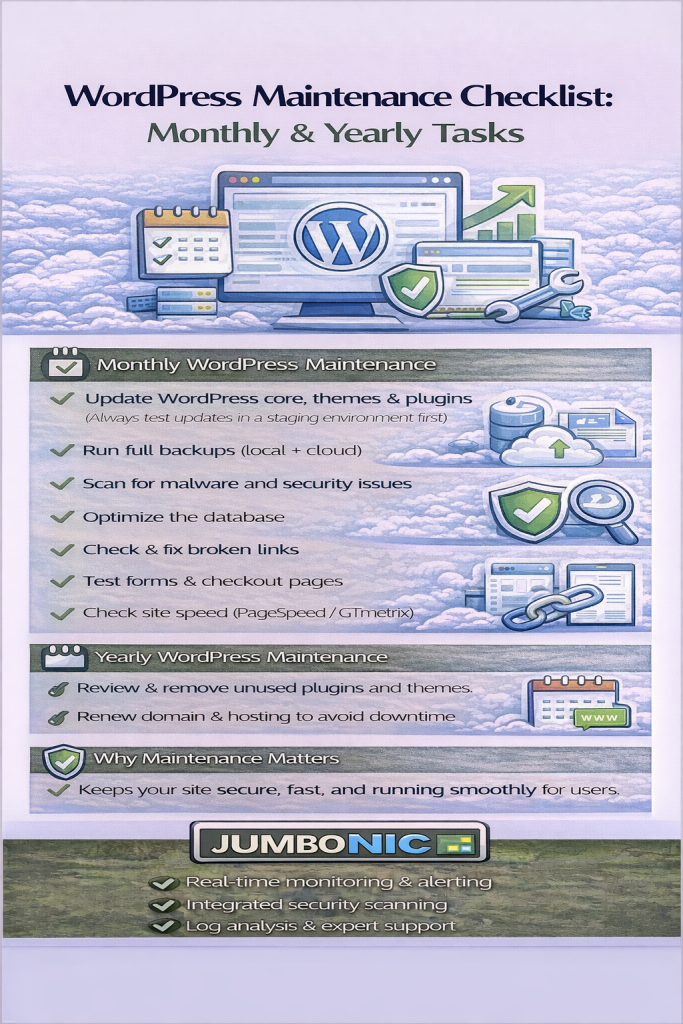
✅ Monthly WordPress Maintenance Checklist
Do these once every month:
1. Update WordPress Core, Themes, and Plugins
Updates fix bugs, speed up performance, and improve security.
Order to update (important):
WordPress
Themes
Plugins
If using JumboNIC, use Staging Mode first to safely test updates.
2. Run a Full Backup
Keep at least one local backup and one cloud backup.
Tools:
UpdraftPlus
Jetpack Backup
JumboNIC Hosting Backup Panel (recommended)
3. Scan for Malware & Security Issues
Use:
Wordfence
iThemes Security
Look for:
File changes
Failed logins
Unknown admin users
4. Optimize the Database
Clears junk data that slows down your site.
Recommended plugin: WP-Optimize
5. Check and Fix Broken Links
Broken links hurt SEO.
Use:
Broken Link Checker plugin
Or Ahrefs / SEOAnalyzer free tools
6. Test Website Forms & Checkout
Make sure:
Contact forms send emails
Payment gateways work
Buttons & menus function correctly
7. Check Page Speed
Use:
PageSpeed Insights
GTmetrix
If your site is slow → enable caching & image compression.
JumboNIC servers already support speed-optimized caching, making this easy.
🗓️ Yearly WordPress Maintenance Checklist
Do these once or twice per year:
1. Review and Remove Unused Plugins & Themes
Unused software = security risk.
Delete completely (don’t just deactivate).
2. Renew Domain & Hosting on Time
Your website will go offline if expired.
If using JumboNIC, enable Auto-Renew to avoid downtime.
3. Review Website Content
Update:
Outdated information
Broken images
Pricing tables
Contact details
Google rewards fresh content.
4. Evaluate Hosting Performance
Ask yourself:
Is my site faster than competitors?
Does my hosting include free SSL?
Do I have room for traffic growth?
If not → consider upgrading your JumboNIC plan.
5. Audit Website Security
Checklist:
Change admin password
Enable Two-Factor Authentication
Restrict login attempts
Confirm SSL is active
❤️ Why JumboNIC Makes Maintenance Easier
| JumboNIC Feature | How It Helps |
|---|---|
| Optimized WordPress hosting | Faster site performance |
| One-click staging | Safe testing before updates |
| Automatic backups | Easy restore if anything breaks |
| Free SSL | Better security + SEO |
| Support team available | Help whenever needed |
With JumboNIC, maintenance becomes simpler, safer, and faster — even for beginners.
🎯 Final Takeaway
Website maintenance is not something to avoid — it’s something to schedule.
Monthly Tasks:
Back up
Update
Clean and scan
Optimize performance
Yearly Tasks:
Review hosting & domain
Refresh content
Audit security
When your site is maintained + hosted on optimized servers, it will:
✅ Load faster
✅ Stay secure
✅ Rank better on Google
And that’s exactly what JumboNIC is built for.
