
🔗 How to Track Backlinks and Their Impact on Your Site
Featuring JumboNIC
Backlinks — links from other websites pointing to your site — are one of the most important factors for SEO. They tell Google that your website is trusted and authoritative, which can improve your rankings.
This guide explains how to track backlinks, evaluate their quality, and leverage them to boost your website performance — all while using JumboNIC hosting for reliability and speed.
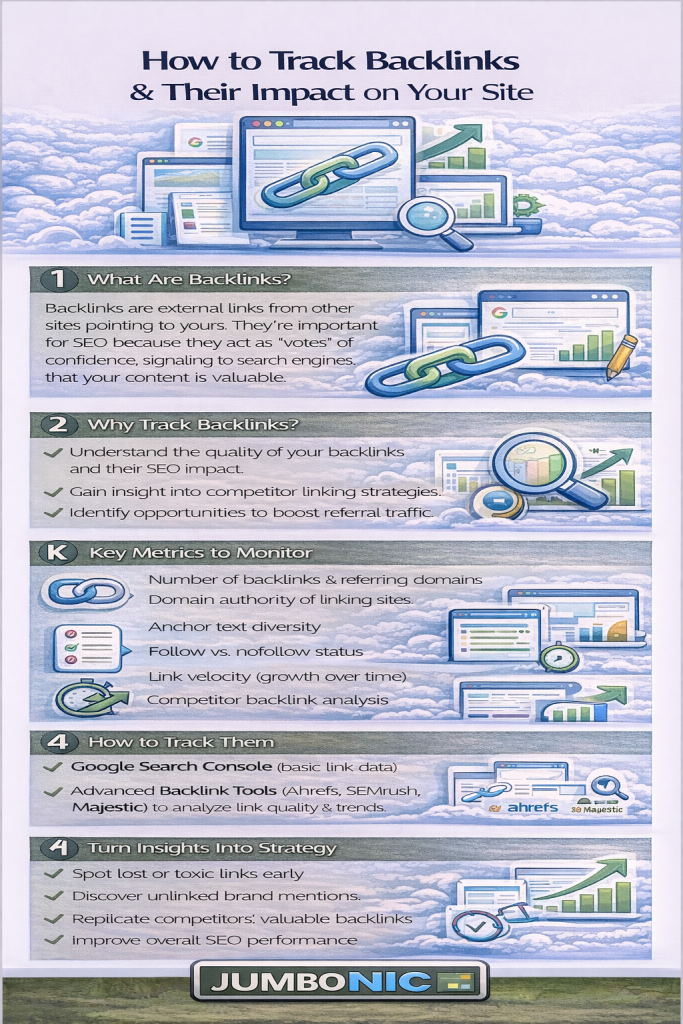
🧠 Why Backlinks Matter
Backlinks influence:
Search engine rankings → High-quality backlinks improve your position in Google
Referral traffic → Visitors can click through to your site from other websites
Authority & credibility → Trusted websites linking to you increases your reputation
Not all backlinks are equal — quality matters more than quantity.
🟦 Step 1: Use Free Tools to Track Backlinks
There are several tools to see who’s linking to your site:
| Tool | Features |
|---|---|
| Google Search Console | Shows backlinks Google sees, top linking sites, and anchor text |
| Ahrefs Backlink Checker (Free) | Shows top 100 backlinks and domain authority |
| Ubersuggest | Provides backlink analysis, domain score, and referring domains |
| Moz Link Explorer | Shows inbound links, domain authority, and spam score |
How to Use Google Search Console:
Log in to GSC → Links
Check Top Linking Sites and Top Linking Text
Export the list for analysis
🟩 Step 2: Evaluate Backlink Quality
Not every backlink helps SEO. Look for:
High authority sites → Trusted domains in your niche
Relevant content → Links from sites related to your topic
DoFollow links → Pass SEO value (PageRank)
Natural anchor text → Avoid spammy, keyword-stuffed text
❌ Avoid low-quality or spammy links, as they can harm your SEO.
🟦 Step 3: Monitor Backlink Impact
Track how backlinks affect:
Organic traffic → Are referral visitors increasing?
Keyword rankings → Are linked pages ranking higher?
Domain authority / site trust → Using Moz, Ahrefs, or Ubersuggest
JumboNIC hosting ensures your website loads fast and reliably, so any SEO gains from backlinks are fully realized.
🟩 Step 4: Build and Maintain Backlinks
Simple strategies:
Create high-quality, shareable content → Blog posts, infographics, guides
Guest posting on related websites → Provide value, get a backlink
Reach out for mentions → Ask sites that mention your brand without linking to add a link
Fix broken links pointing to your site → Use tools like Ahrefs or Broken Link Checker
Tip: Avoid link schemes or buying links — Google may penalize your site.
🏆 Step 5: Use JumboNIC Hosting for SEO Advantages
| JumboNIC Feature | Backlink Benefits |
|---|---|
| Fast server speed | Reduces bounce rate from referral traffic |
| Reliable uptime | Ensures links always lead to live pages |
| Optimized WordPress environment | Supports SEO plugins and link management |
| Security & SSL included | Builds trust with users and search engines |
With JumboNIC, backlinks direct visitors to a fast, secure, and reliable website, maximizing their impact.
🎯 Quick Backlink Tracking Checklist
✅ Use Google Search Console or other free tools
✅ Export and review top linking domains
✅ Evaluate backlink quality (authority, relevance, DoFollow)
✅ Monitor impact on traffic and rankings
✅ Build high-quality backlinks ethically
✅ Maintain website speed and uptime with JumboNIC hosting
🎉 Final Takeaway
Backlinks are powerful SEO signals, but only if you track, evaluate, and maintain them correctly.
With JumboNIC hosting, your site stays fast, secure, and reliable, ensuring every backlink contributes to better SEO performance and user experience.
