
🛡️ How to Secure Your Website from Hackers
Hackers don’t only target big companies.
Small business websites, blogs, and even personal sites get attacked every day — usually because they are easy targets.
The good news?
You don’t need to be “technical” to protect your website.
With a few smart steps (and good hosting), you can block most threats before they even start.
Let’s break it down simply.
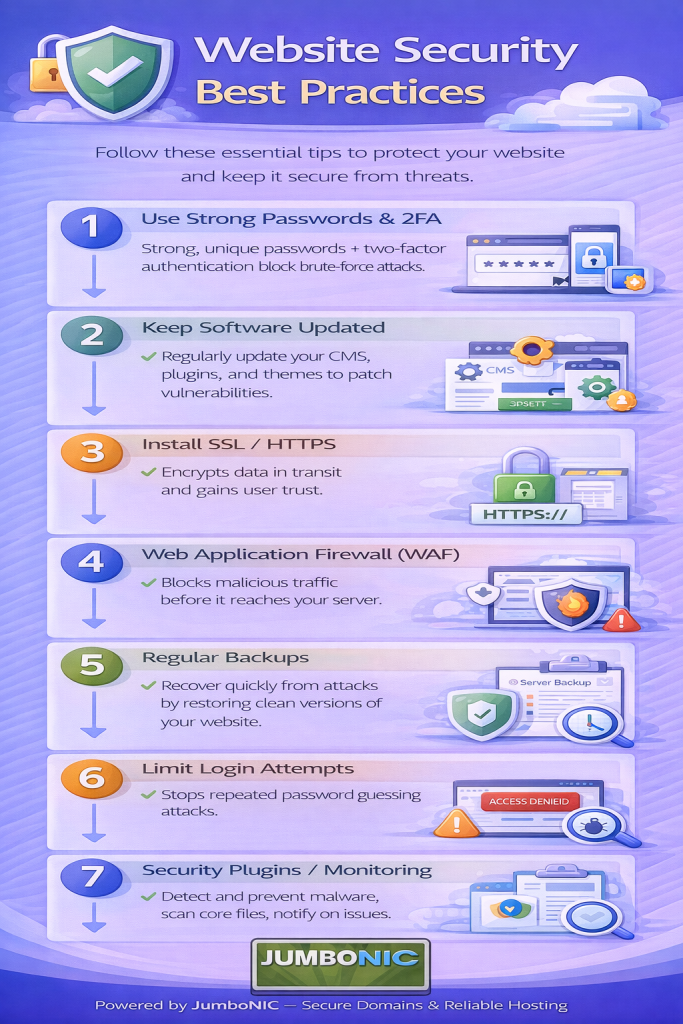
1. Use HTTPS (Not HTTP)
When a website loads using http://, the connection is not secure.
Hackers can intercept data.
When your site uses https://, the data is encrypted and protected.
This is done by installing SSL.
JumboNIC Helps Here:
Most JumboNIC hosting plans include FREE SSL + one-click installation.
If your website says Not Secure, fix that ASAP.
2. Keep Your Website Software Updated
Whether your site uses:
WordPress
Joomla
Drupal
A custom CMS
You must update:
The core software
Themes
Plugins
Outdated files are the most common way attackers break in.
Set a reminder once per week:
Check for updates → Click Update → Done ✅
3. Use Strong, Unique Passwords
A weak password like:
admin123
password99
business2023
…is basically an invitation for hackers.
Your password should be:
At least 12–16 characters
Include uppercase, lowercase, numbers, and symbols
Not used anywhere else
Example:
Coffee!Sunset#91&Steps
Bonus tip:
Use a free password manager like Bitwarden or Proton Password.
4. Install a Website Firewall
A firewall blocks hackers before they reach your site.
If you use WordPress:
Install one of these:
Wordfence
Sucuri
iThemes Security
They:
Block bot attacks
Detect malware
Alert you if something looks suspicious
5. Limit Login Attempts
Hackers often try to guess your password by logging in repeatedly.
Install a Login Limit plugin to stop them.
Example for WordPress:
Limit Login Attempts Reloaded
Set it to:
Allow maybe 3 login tries
Lock attacker for 15–60 minutes
6. Backup Your Website Regularly
Even with all protection, nothing is 100% hack-proof.
That’s why backups matter.
If your website ever gets hacked:
A backup lets you restore everything in minutes.
JumboNIC Advantage:
JumboNIC hosting supports automatic scheduled backups, so you don’t lose your hard work.
7. Choose a Hosting Provider That Takes Security Seriously
Some hacks have nothing to do with you — they happen because the hosting server is weak.
This is where JumboNIC makes a major difference:
| JumboNIC Security Feature | Why It Protects You |
|---|---|
| Secure server infrastructure | Blocks server-level attacks |
| Free SSL support | Protects visitor data |
| Active malware monitoring | Detects issues early |
| Daily / scheduled backups | Recovery is quick and painless |
| 24/7 support | Help when you need it |
Good hosting = Strong first line of defense.
✅ Final Checklist (Save This)
Before you close this tab, make sure your site has:
HTTPS (SSL enabled)
Updated plugins/themes
Strong passwords
Security plugin or firewall
Backups enabled
Reliable hosting like JumboNIC
If yes → You’re already safer than most websites online.
🏁 Final Takeaway
Website security isn’t scary.
It’s just about being consistent and choosing the right tools.
Do the basics:
Update → Secure → Backup → Host smartly (with JumboNIC)
Your website stays:
✅ Safe
✅ Professional
✅ Trustworthy
✅ Search-engine friendly
