
How to Plan Your Website Maintenance Budget
A website isn’t a one-time project—it’s an ongoing investment. From security updates and backups to content refreshes and performance optimization, regular maintenance is crucial to ensure your site remains fast, secure, and effective.
Planning a website maintenance budget helps businesses avoid unexpected costs, reduce downtime, and maximize ROI. In this guide, we’ll cover key considerations for budgeting your website maintenance, featuring tips on how JumboNIC hosting can simplify the process.
Why Budgeting for Website Maintenance Matters
Website maintenance is often overlooked, but neglect can lead to:
Security breaches and malware infections
Slow-loading pages and poor user experience
Broken plugins or themes
Lost SEO rankings
Unexpected repair costs
By allocating a dedicated budget, you can prevent emergencies and keep your website running smoothly.
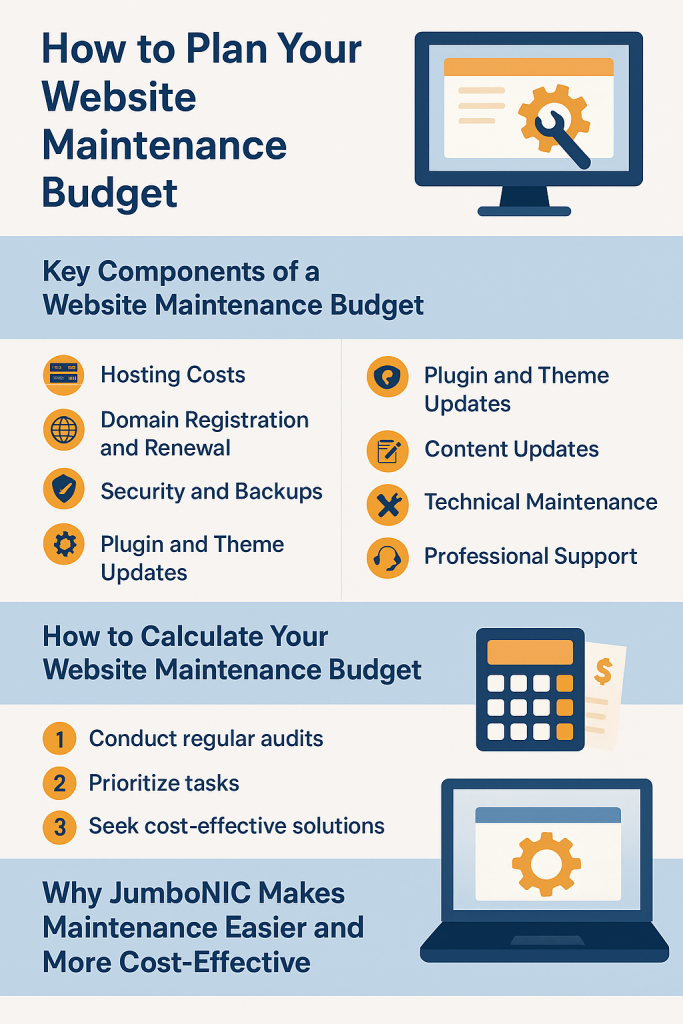
Key Components of a Website Maintenance Budget
1. Hosting Costs
Reliable hosting forms the foundation of website performance and uptime.
Monthly or annual hosting fees
Server upgrades for higher traffic
Optional CDN services to improve global load times
JumboNIC Advantage: JumboNIC provides high-performance NVMe hosting, global CDN, SSL, and DDoS protection—all included, reducing hidden hosting expenses.
2. Domain Registration and Renewal
Domain renewal fees (typically annual)
Domain privacy protection to prevent spam and unauthorized ownership
With JumboNIC, domain management is integrated with hosting, simplifying renewals and privacy protection.
3. Security and Backups
Security is non-negotiable. Budget for:
Security plugins or services (Wordfence, Sucuri, iThemes Security)
Regular automated backups
SSL certificate renewal
JumboNIC includes free SSL, automated daily backups, and staging environments, which reduce the cost of security tools and disaster recovery.
4. Plugin and Theme Updates
Premium plugin licenses
Theme licenses
Custom plugin or theme support if needed
Regular updates prevent compatibility issues and downtime, helping you avoid expensive emergency fixes.
5. Content Updates
Adding new pages, blog posts, or products
Image optimization
SEO and meta updates
Allocating part of your budget to content ensures your site stays relevant, ranks well, and attracts visitors.
6. Technical Maintenance
Fixing broken links or 404 errors
Optimizing database and performance
Monitoring uptime and server performance
Using JumboNIC’s staging environments and monitoring tools reduces technical risk and lowers long-term maintenance costs.
7. Professional Support
Developer or webmaster support for complex issues
Consulting for website upgrades or redesigns
Outsourcing occasional professional support ensures critical problems are addressed quickly, avoiding costly downtime.
How to Calculate Your Website Maintenance Budget
A simple approach:
List all maintenance tasks (hosting, security, updates, content, professional support)
Estimate costs for each task monthly or annually
Add a contingency buffer (10–20%) for unexpected expenses
Review quarterly and adjust as traffic or complexity grows
Example Budget for a Small Business Website:
| Item | Monthly Cost | Notes |
|---|---|---|
| Hosting & CDN | $30 | JumboNIC NVMe hosting with SSL & DDoS protection |
| Security & Backups | $15 | Plugins or service (some included with JumboNIC) |
| Plugin/Theme Licenses | $20 | Premium licenses & updates |
| Content Updates | $50 | Blog posts, product pages, SEO tweaks |
| Technical Support | $30 | Occasional developer support |
| Total | $145 | + contingency 10–20% |
Tips to Optimize Your Maintenance Budget
Use all-in-one hosting solutions – JumboNIC combines hosting, backups, SSL, and security to reduce separate costs.
Prioritize automation – Automated backups, updates, and monitoring save time and money.
Regularly review performance – Identify unused plugins or inefficient themes to reduce overhead.
Leverage staging environments – Test updates before going live to prevent costly downtime.
Plan for growth – Adjust your budget as your traffic, products, or content increase.
Why JumboNIC Makes Maintenance Easier and More Cost-Effective
High-performance NVMe hosting – Reduces slow-loading pages and downtime.
Daily automated backups – Save costs on third-party backup solutions.
Built-in SSL and security tools – Lower expenses for security software.
Staging environments – Prevent errors and minimize emergency fixes.
Centralized dashboard – Simplifies management of multiple websites and budgets.
By consolidating services, JumboNIC allows you to plan your website maintenance budget with predictable, reliable costs.
Conclusion
Website maintenance is an essential investment, not an optional expense. Properly budgeting for hosting, security, updates, content, and professional support ensures your site remains secure, functional, and optimized for performance.
With JumboNIC, you can streamline maintenance tasks, reduce unexpected expenses, and confidently plan your website budget—keeping your online presence strong, reliable, and ready to grow.
