
How to Perform a Website Security Audit
Website security is a critical component of maintaining trust, protecting user data, and ensuring business continuity. A website security audit is a systematic review of your site’s vulnerabilities, configurations, and overall security posture. Performing regular audits helps prevent cyberattacks, malware infections, and data breaches.
In this guide, we’ll explain the key steps to perform a comprehensive website security audit and highlight how JumboNIC can make the process faster and more effective.
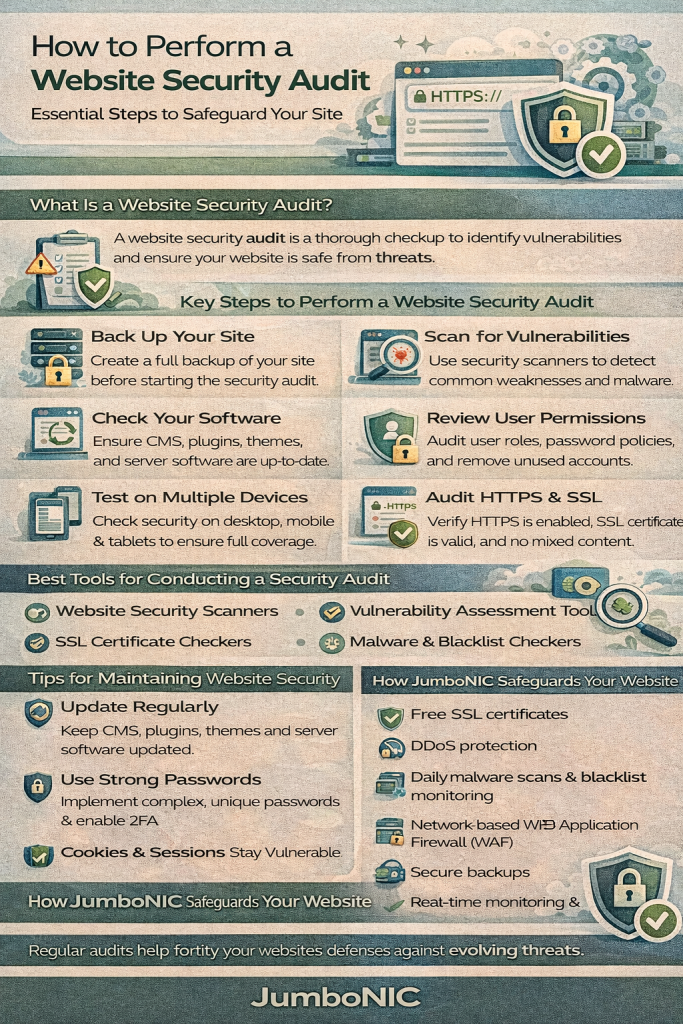
What Is a Website Security Audit?
A website security audit is a thorough examination of your site to identify potential security weaknesses. It assesses:
Software and plugin updates
Server configurations
User access and authentication
Malware and vulnerabilities
Data protection and encryption
The goal is to uncover risks before attackers do, ensuring your website remains secure, reliable, and trustworthy.
Step 1: Review Software and CMS Updates
Outdated software is one of the most common entry points for hackers.
Checklist:
Ensure WordPress, Joomla, or other CMS platforms are updated
Update all themes and plugins
Remove unused or abandoned plugins/themes
JumboNIC Advantage: JumboNIC provides automatic server updates and patching, minimizing risks from outdated software.
Step 2: Scan for Malware and Vulnerabilities
Regularly scanning your website helps detect malicious code or security weaknesses.
Tools and Methods:
Online scanners like Sucuri SiteCheck or VirusTotal
CMS-specific security plugins (e.g., Wordfence for WordPress)
Manual inspection of server files and logs
JumboNIC Advantage: JumboNIC offers real-time malware detection and automated scanning, making it easier to identify threats immediately.
Step 3: Evaluate User Accounts and Permissions
Unauthorized access often starts with compromised credentials.
Checklist:
Remove inactive or unnecessary accounts
Use strong, unique passwords for all users
Implement two-factor authentication (2FA)
Apply the principle of least privilege: users should have only the access they need
JumboNIC Advantage: JumboNIC supports secure 2FA and role-based access controls for website users and admins.
Step 4: Check Server and Hosting Security
Your hosting environment is the foundation of your website’s security.
Audit Points:
Server software updates and patching
Firewall configuration
SSL/TLS certificates and HTTPS enforcement
DDoS protection and CDN usage
JumboNIC Advantage: JumboNIC provides server-level firewalls, SSL by default, DDoS protection, and a global CDN, ensuring a secure and high-performing environment.
Step 5: Review Website Code and Configurations
Poorly configured websites or insecure code can create vulnerabilities.
Checklist:
Remove unnecessary scripts and plugins
Secure configuration files (
wp - config.php,.htaccess)Validate user inputs to prevent SQL injection or XSS attacks
Implement secure headers (Content Security Policy, HSTS, etc.)
Step 6: Monitor Logs and Analytics
Monitoring logs helps detect suspicious activity before it escalates.
Audit Tips:
Analyze server logs for unusual traffic
Track failed login attempts and repeated access from the same IP
Monitor changes to files or database entries
JumboNIC Advantage: JumboNIC provides real-time monitoring and notifications, helping you detect anomalies quickly.
Step 7: Test Backup and Recovery Procedures
A website security audit is incomplete without testing your ability to recover from incidents.
Checklist:
Ensure regular backups are in place
Test restoring files and databases
Confirm backups are stored securely offsite or in the cloud
JumboNIC Advantage: JumboNIC offers automated daily backups with easy restore options, making disaster recovery fast and reliable.
Step 8: Conduct Security Penetration Tests
Simulated attacks help identify vulnerabilities that might go unnoticed.
Methods:
Use automated penetration testing tools
Hire security professionals for thorough testing
Test login forms, file uploads, and API endpoints
Step 9: Document Findings and Implement Fixes
After completing the audit:
Document all vulnerabilities
Prioritize issues based on risk
Apply necessary fixes promptly
Schedule follow-up audits regularly
JumboNIC Advantage: JumboNIC’s secure infrastructure and proactive monitoring make applying fixes faster and simpler.
Conclusion
Performing a website security audit is essential for maintaining a safe, reliable, and trustworthy online presence. Regular audits help you identify vulnerabilities, enforce best practices, and protect both your website and your users.
With JumboNIC, audits become more efficient and effective thanks to features like real-time malware detection, automated backups, server-level firewalls, 2FA support, and a global CDN. By combining regular security audits with JumboNIC’s performance-focused hosting, you can safeguard your website against threats while keeping it fast and reliable.
