
🔍 How to Perform a Simple SEO Audit for Your Website
Featuring JumboNIC
If you want your website to rank higher on Google, a regular SEO audit is essential. An SEO audit helps you identify issues, optimize content, and improve user experience — all while boosting your search engine visibility.
This guide will show you how to perform a simple SEO audit, step by step, and how JumboNIC hosting can enhance your website’s SEO performance.
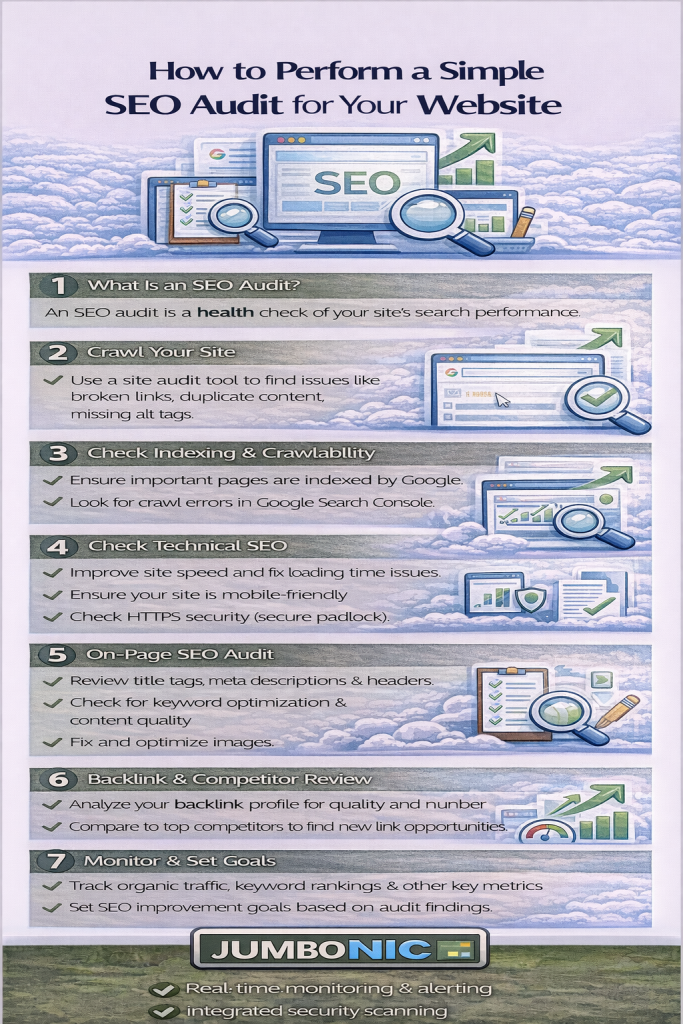
🧠 Why SEO Audits Matter
An SEO audit helps you:
Check website performance and speed
Identify technical issues that prevent indexing
Improve on-page SEO (titles, headings, meta descriptions)
Find content gaps and opportunities
Ensure mobile usability and security
Think of it as a health check for your website.
🟦 Step 1: Check Website Speed and Performance
Website speed affects user experience and Google rankings.
Use tools like:
Look for:
Page load times
Large images or scripts slowing your site
Core Web Vitals (LCP, CLS, FID)
Tip: Hosting with JumboNIC ensures fast server response and reliable uptime, helping your site score better in speed audits.
🟩 Step 2: Review On-Page SEO
Check each page for:
Title tags → Include main keywords, under 60 characters
Meta descriptions → Summarize page content, under 160 characters
Headings (H1, H2, H3) → Structure content clearly
URL structure → Short, readable URLs with keywords
Internal linking → Connect related content
Tools like Yoast SEO or Rank Math make this easier in WordPress.
🟦 Step 3: Check Technical SEO
Look for:
Indexing issues → Use Google Search Console Coverage report
Broken links / 404 errors → Fix or redirect broken URLs
Sitemap availability → Submit to GSC if missing
Robots.txt → Ensure pages you want indexed are not blocked
SSL certificate → HTTPS is required for SEO
Tip: JumboNIC hosting includes free SSL and reliable uptime, reducing crawl errors and security issues.
🟩 Step 4: Evaluate Mobile Usability
Google uses mobile-first indexing, so your site must work well on mobile:
Use Google Search Console → Mobile Usability
Check for:
Text too small to read
Clickable elements too close together
Horizontal scrolling
Tip: JumboNIC servers ensure your site loads fast on all devices, improving mobile SEO metrics.
🟦 Step 5: Analyze Content Performance
Use Google Analytics and Search Console to find:
Top-performing pages
Pages with high bounce rates
Keywords bringing traffic
Action Steps:
Update old content
Add relevant keywords
Improve internal linking
Better content = better rankings + more engagement.
🟩 Step 6: Check Backlinks and Authority
Backlinks are crucial for SEO
Use free tools:
Action Steps:
Remove spammy backlinks
Reach out for high-quality backlinks from relevant sites
🏆 Step 7: Track and Monitor Results
After making improvements:
Monitor performance in Google Search Console
Track traffic, keyword rankings, and engagement in Google Analytics
Repeat audits every 3–6 months
Tip: Hosting with JumboNIC ensures consistent uptime and server performance, so your SEO improvements are fully reflected in analytics.
🎯 Quick SEO Audit Checklist
✅ Check website speed and Core Web Vitals
✅ Review on-page SEO (titles, meta, headings, URLs)
✅ Inspect technical SEO (indexing, broken links, sitemap, SSL)
✅ Evaluate mobile usability
✅ Analyze content performance and optimize
✅ Review backlinks and authority
✅ Monitor results regularly
🎉 Final Takeaway
A simple SEO audit can dramatically improve your website rankings and user experience.
With JumboNIC hosting, your website runs fast, secure, and reliable, giving your SEO efforts a solid foundation.
Perform regular audits, fix issues, optimize content, and watch your traffic grow.
