
How to Optimize Images for SEO and Performance
Images are essential for creating engaging, visually appealing websites. But unoptimized images can slow down your site, hurt user experience, and negatively impact SEO. Optimizing images is one of the most effective ways to improve both site speed and search engine rankings.
In this article, we’ll explore practical strategies for image optimization and show how hosting providers like JumboNIC help websites deliver images efficiently without sacrificing quality.
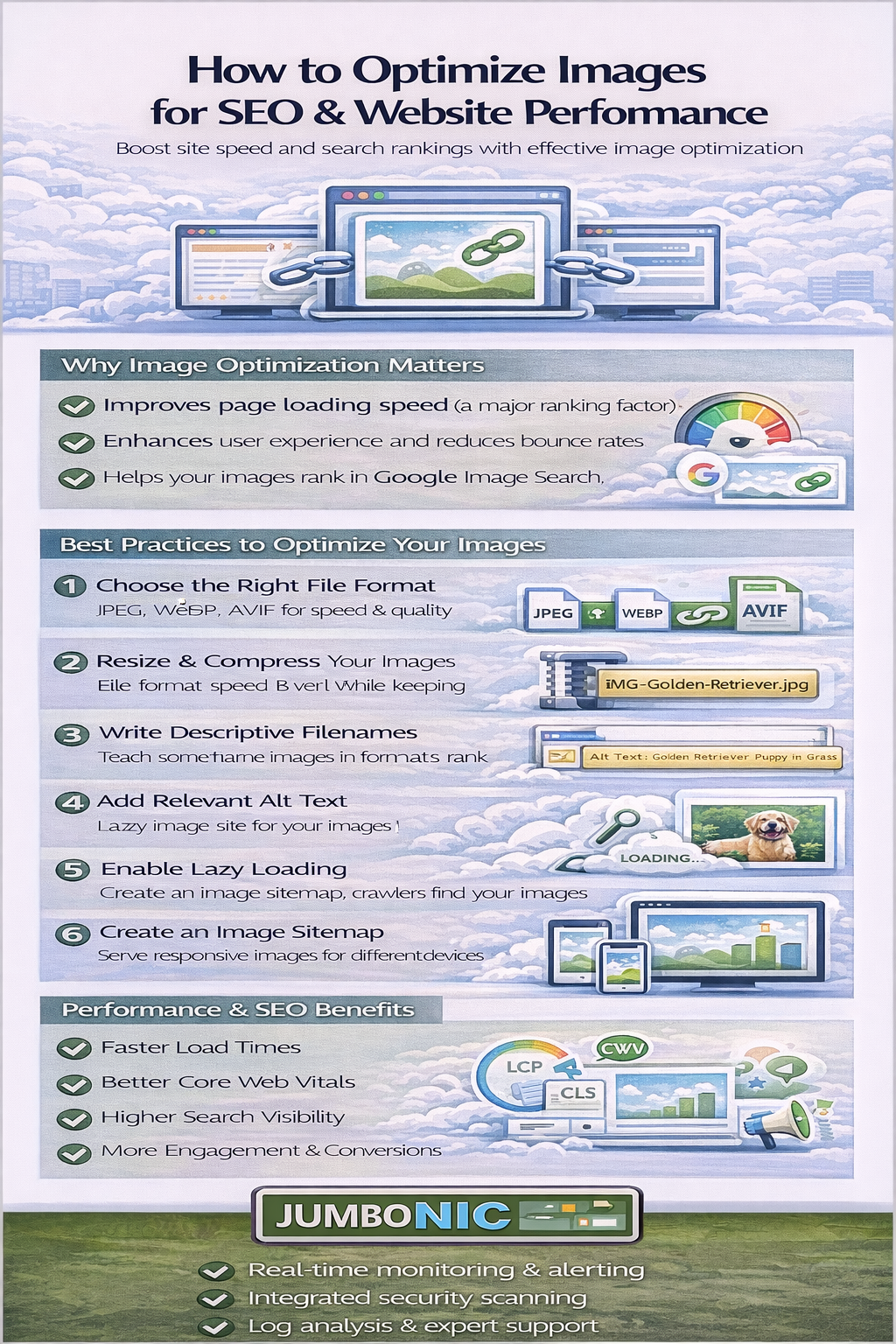
1. Why Image Optimization Matters
Images often make up the largest portion of a web page’s file size. Heavy images can cause:
Slow page load times
High bounce rates
Poor Core Web Vitals scores
Lower search rankings
Optimized images improve:
Performance: Faster load times and reduced bandwidth
SEO: Search engines favor fast, mobile-friendly websites
User experience: Visitors stay longer and engage more
JumboNIC hosting uses high-speed NVMe SSDs, advanced caching, and a global CDN to ensure optimized image delivery worldwide.
2. Choose the Right File Format
Selecting the right image format is the first step in optimization.
| Format | Best Use Case | Pros | Cons |
|---|---|---|---|
| JPEG | Photos and complex images | Small file size, widely supported | Not ideal for transparent backgrounds |
| PNG | Logos, icons, graphics with transparency | Supports transparency, lossless | Larger file size |
| WebP | Modern web images | Smaller file size than JPEG, supports transparency | Older browsers may need fallback |
| AVIF | High-quality images with minimal size | Best compression | Limited browser support |
Using modern formats like WebP or AVIF can dramatically reduce file size without visible quality loss.
3. Compress Images Without Losing Quality
Compression reduces file size, improving load times. Techniques include:
Lossy compression: Slightly reduces image quality for smaller files (good for photos)
Lossless compression: Maintains original quality while reducing size (good for logos and icons)
Tools and services for compression:
Adobe Photoshop (Save for Web)
TinyPNG / TinyJPG
Squoosh.app
ImageMagick (for automated optimization)
JumboNIC’s platform can integrate with CDN-based image optimization for automated compression on the fly.
4. Resize Images to Fit the Layout
Serving oversized images is a common performance killer.
Use dimensions that match your display size
Avoid loading full-resolution images when smaller versions suffice
Employ responsive images (
srcsetattribute) for different screen sizes
Proper resizing reduces bandwidth and improves page speed scores—a critical SEO factor.
5. Leverage Lazy Loading
Lazy loading defers the loading of off-screen images until the user scrolls to them. Benefits include:
Faster initial page load
Reduced server requests
Lower bandwidth usage
How to implement:
<img src="image.jpg" loading="lazy" alt="Description">
JumboNIC’s hosting supports lazy loading natively, ensuring your pages remain fast without extra plugins.
6. Use Descriptive File Names and Alt Text
Search engines use image metadata to understand your content.
File names: Include relevant keywords, e.g.,
red-running-shoes.jpgAlt text: Describe the image for accessibility and SEO
Title tags: Optional, but can add context
Example:
<img src="red-running-shoes.jpg" alt="Red running shoes for men" />
This improves image SEO and helps your content appear in Google Image Search.
7. Implement a Content Delivery Network (CDN)
A CDN stores and delivers images from servers closest to your users, reducing latency and speeding up load times.
Benefits of CDN image delivery:
Faster global load times
Reduced server load
Improved Core Web Vitals
Enhanced reliability
JumboNIC includes a global CDN that caches images across multiple regions, ensuring users get lightning-fast delivery no matter where they are.
8. Optimize Image Caching
Proper caching reduces repeated downloads for returning visitors.
Set long
Cache-ControlheadersUse versioning for updated images (
image-v2.jpg)Leverage JumboNIC’s edge caching for faster repeat access
This keeps pages quick and responsive while conserving bandwidth.
9. Advanced Techniques for Maximum Optimization
Image sprites: Combine multiple icons into one image to reduce HTTP requests
SVG graphics: Ideal for logos and icons; infinitely scalable and lightweight
Next-gen formats: WebP or AVIF served with fallback JPEG/PNG for older browsers
Automated optimization plugins: Integrate with CMS like WordPress
JumboNIC’s infrastructure supports all these techniques with minimal configuration, making optimization seamless.
Conclusion: Optimized Images = Faster Pages + Better SEO
Image optimization is not optional—it’s essential for:
Speed and performance
User experience
Search engine visibility
Reduced bandwidth and hosting costs
By combining best practices (compression, resizing, lazy loading, descriptive metadata) with high-performance hosting from JumboNIC, businesses can ensure images are visually stunning, lightning-fast, and SEO-friendly.
Optimized images help your site look great, perform brilliantly, and rank higher—a win-win for both users and search engines.
