
🚫🔐 How to Fix the “Not Secure” Warning on Your Website in WordPress
When someone visits your website and sees the message:
“Not Secure”
…it instantly damages trust. People may leave before they even read a single word.
This usually happens because your website doesn’t have SSL or it’s not configured correctly.
Good news:
Fixing it is simple, especially with JumboNIC.
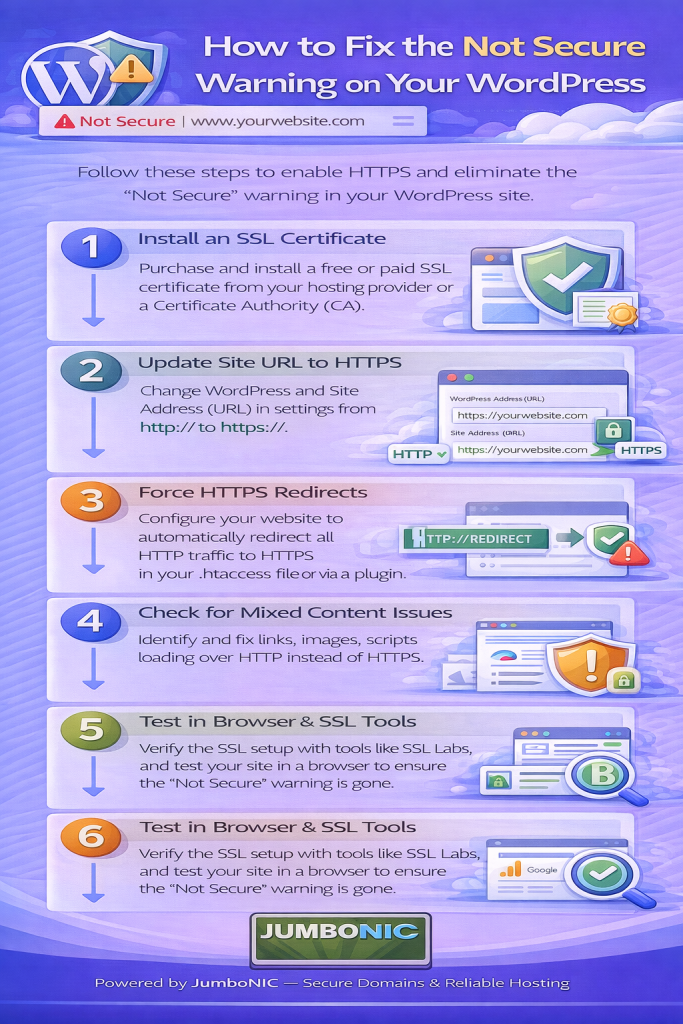
🧠 First — Why Does This Warning Appear?
Websites load using either:
http:// (Not Secure ❌)
https:// (Secure ✅)
The difference is SSL (Secure Sockets Layer), which encrypts your website and shows visitors your site is safe.
If your site shows http://, no encryption is happening, so the browser warns the user.
✅ Step-by-Step: How to Fix the Warning
STEP 1 — Log in to Your JumboNIC Hosting Panel
Go to your JumboNIC Dashboard and choose your hosting account.
STEP 2 — Activate the Free SSL
Most JumboNIC hosting plans include FREE SSL.
In your hosting panel:
Go to Security or SSL/TLS
Look for AutoSSL or Let’s Encrypt SSL
Click Enable / Install
This will generate and install an SSL certificate for your domain.
STEP 3 — Ensure Your Website Uses https://
Even after SSL is installed, your site may still load with http.
To force your website to use https, do one of the following:
If you use WordPress:
Install the plugin:
Really Simple SSL
Activate it → Click “Enable SSL” → Done ✅
If your website is not WordPress:
Update your .htaccess file to include:
RewriteEngine On
RewriteCond %{HTTPS} off
RewriteRule ^(.*)$ https://%{HTTP_HOST}%{REQUEST_URI} [L,R=301]
This forces every visitor to the secure version of your site.
STEP 4 — Clear Cache
To see changes right away:
Clear your browser cache
Clear website cache (if using WordPress caching plugins)
If using Cloudflare, purge cache there too
Once cleared, refresh your website.
You should now see:
🔒 Padlock icon + https://
🧪 If Problem Still Shows
Try checking your SSL at:
https://www.whynopadlock.com/
This tool will tell you if:
Some images
Scripts
Stylesheets
are still loading from http (this is called mixed content).
If so, switching them to https fixes the last problem.
⭐ Why JumboNIC Makes This Easier
| JumboNIC Feature | Benefit to You |
|---|---|
| Free SSL on most hosting plans | No extra cost to secure your site |
| Easy SSL activation panel | Setup takes minutes, not hours |
| Fast DNS propagation | SSL works quicker |
| Support that actually helps | No confusing tech jargon |
You don’t need to be “techy” to secure a website with JumboNIC.
🏁 Final Takeaway
If your site shows Not Secure, search engines and visitors both lose trust.
Fixing it is easy:
Install SSL in JumboNIC
Force your site to use https
Clear cache and test again
After this, your site will be:
✅ Trusted
✅ Professional
✅ SEO-friendly
✅ Safer for your customers
It’s one of the fastest and easiest SEO wins you can do.
