
📝 How to Create Content That Ranks in Google
Featuring JumboNIC
If you’ve ever published a blog post and wondered why it didn’t show up on Google, you’re not alone.
Ranking in Google is not just about writing — it’s about writing with purpose, using the right keywords, structure, and search intent.
The good news?
You don’t need to be an expert to create Google-friendly content.
Just follow the steps below.
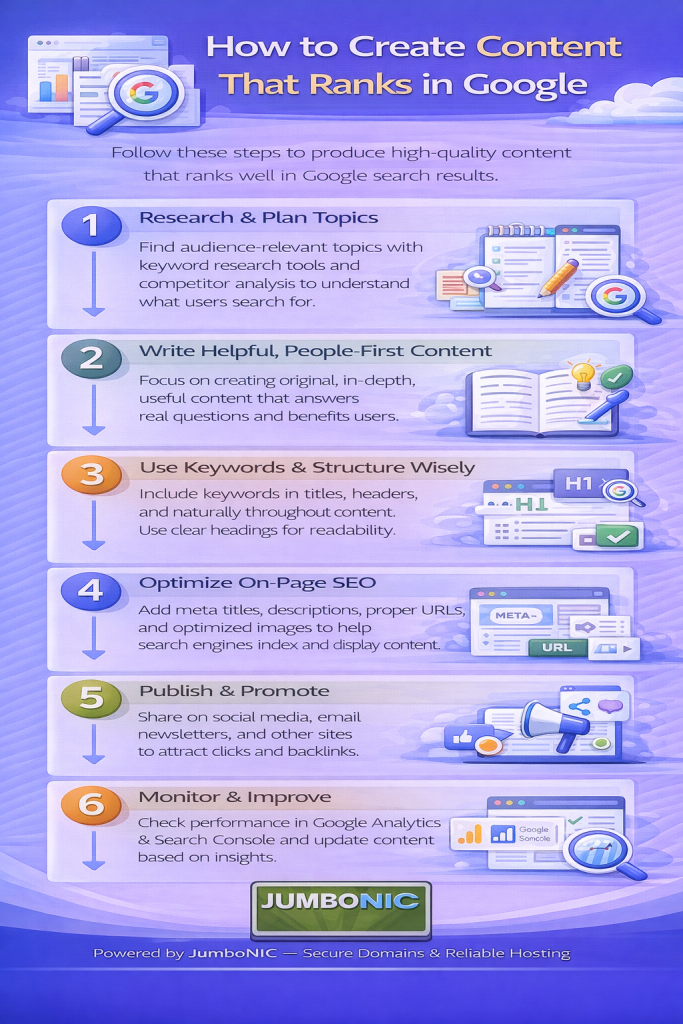
🎯 Step 1: Start With Search Intent (What People Want)
Before writing, ask:
“What problem is the user trying to solve?”
For example:
Searching “how to fix slow website” = They want steps + solutions
Searching “best bakery near me” = They want locations + recommendations
Google always ranks the content that answers the user’s need best, not the content with the most words.
So think:
Who is searching? What are they trying to achieve?
🔍 Step 2: Find the Right Keywords (No Tools Required)
Your content should contain words your audience is actually typing in Google.
Easiest free method:
Search your topic in Google
Look at:
Google Autocomplete
People Also Ask
Related Searches
Example: Search “domain name”
Google may suggest:
how to choose a domain name
best domain names for business
domain vs hosting explained
Those are topics people already want.
Write those.
🧱 Step 3: Structure Your Content Clearly
Google loves organized content.
Use this simple format:
H1: Main Title

Intro (2–4 sentences)

H2: What is the topic?
H2: Why is it important?
H2: Step-by-step or how-to
H2: Tips or examples
H2: Conclusion (1 takeaway)
If a human can skim it, Google can too.
✍️ Step 4: Write Like You’re Talking to One Person
Nobody likes robotic writing.
Write like this:
“If your website is slow, people leave. Let’s fix that.”
Not this:
“Latency contributes to suboptimal user engagement patterns.”
Google ranks clear, human writing higher than complicated jargon.
🪄 Step 5: Add Examples, Screenshots, and Real Value
Google wants useful content, not just long content.
Ask yourself while writing:
Did I give an example?
Did I give a real step someone can follow?
Did I explain why this matters?
If yes, your content is already better than 90% of blogs online.
🚀 Step 6: Make Your Website Fast & Secure (This Helps Ranking Too)
Even the best content will struggle if your website is:
Slow
Down often
Not secure
This is where JumboNIC hosting helps.
| JumboNIC Advantage | Why It Matters for Ranking |
|---|---|
| Fast server response | Google ranks faster websites higher |
| Free SSL support | Prevents “Not Secure” warnings |
| Stable uptime | Google rewards reliable websites |
| Easy WordPress setup | Lets you publish faster |
Your content + a strong hosting foundation = real ranking power.
✅ Step 7: Publish, Then Submit to Google Search Console
After publishing:
Go to Google Search Console
Paste your page URL into the URL Inspection tool
Click Request Indexing
This tells Google to look at your new page sooner.
⭐ Example Content Checklist (Keep This!)
Before you click Publish, check these:
Title has the main keyword
First paragraph explains the topic clearly
You answer the main search intent
You use short paragraphs (1–3 sentences)
You include helpful examples or steps
Your site loads quickly (JumboNIC helps here!)
If you hit these, you’re already ahead of most websites online.
🏁 Final Takeaway
Ranking in Google isn’t magic. It’s about:
Understanding what people want
Writing helpful, clear content
Structuring it well
Hosting it on a fast, secure platform like JumboNIC
Do these consistently, and your website will start climbing in search results.
