
🔎 How to Add Your Website to Google Search Console
If you want your website to appear in Google search results, you need to tell Google your site exists.
That’s exactly what Google Search Console is for.
Google Search Console (GSC) helps you:
Get indexed in Google
Monitor website performance
Track keywords people use to find you
Fix SEO or ranking issues
Good news — setting it up is easy, especially if your domain is managed with JumboNIC.
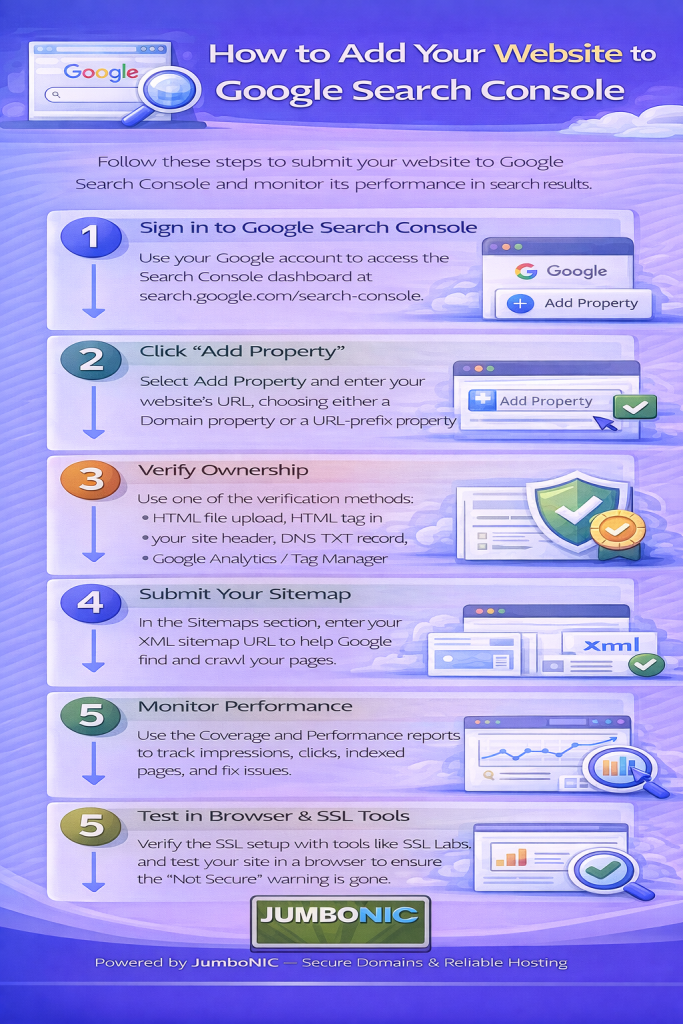
✅ Step 1: Go to Google Search Console
Visit:
https://search.google.com/search-console
Click Start Now, then sign in with your Google account (Gmail works).
✅ Step 2: Add Your Website
You’ll see two options:
| Option | Select If | Example |
|---|---|---|
| Domain Property | You want to track ALL versions of your site | yourwebsite.com |
| URL Prefix | You want to track one specific version | https://www.yourwebsite.com |
We recommend:
Domain Property → Better tracking.
Enter your domain (without https):
✅ Step 3: Verify Your Domain
Google will show a DNS Verification TXT Record like this:
✅ Step 4: Log in to Your JumboNIC Dashboard
Go to your JumboNIC account
Open Domains
Select your domain
Click Manage DNS or DNS Zone Editor
✅ Step 5: Add the TXT Record
In your DNS panel:
Click Add Record
Choose TXT Record
Host / Name:
@
Value / Content:
Paste the code from GoogleSave changes ✅
⏳ Step 6: Return to Google Search Console and Verify
Click Verify.
If it doesn’t verify right away:
DNS may still be updating
Wait 5–30 minutes and click Verify again
DNS propagation can take up to 24 hours, but usually much faster with JumboNIC.
⭐ Step 7: Submit Your Sitemap (Very Important)
Your sitemap helps Google understand your website structure.
If you use WordPress with Yoast or RankMath SEO, your sitemap is usually located at:
https://yourwebsite.com/sitemap.xml
In GSC:
Go to Sitemaps
Paste your sitemap URL
Click Submit
Now Google can start indexing your pages.
🎉 You’re Done!
Your website is now connected to Google Search Console.
In the next few days and weeks, you will start seeing:
Search Performance reports
Keyword rankings
Pages getting indexed
🏆 Why Using JumboNIC Makes This Easier
| JumboNIC Benefit | How It Helps |
|---|---|
| Easy DNS management panel | Adding verification records is simple |
| Fast DNS propagation | Your site verifies faster |
| Stable hosting environment | Improves crawl efficiency & SEO |
| Support that explains steps clearly | Help is always available if needed |
With JumboNIC, managing your website’s visibility is beginner-friendly and smooth.
💬 Final Tip for Better SEO
Now that your site is connected to Google Search Console, check GSC once a week to:
See what keywords people use to find you
Fix any crawl errors
Submit new content to index faster
It’s one of the most valuable free SEO tools available.
