
Essential Website Maintenance Tasks for Small Businesses: A Guide by JumboNIC
For many small businesses, your website is your digital storefront — the first place customers go to learn about your brand, products, and services. But building a website is only half the job. Keeping it updated, secure, and optimized is what truly determines long-term success.
At JumboNIC, we believe that consistent website maintenance isn’t just a technical chore — it’s a strategic investment in performance, security, and credibility. In this guide, we’ll cover the essential website maintenance tasks every small business should perform to keep their site running smoothly and safely.
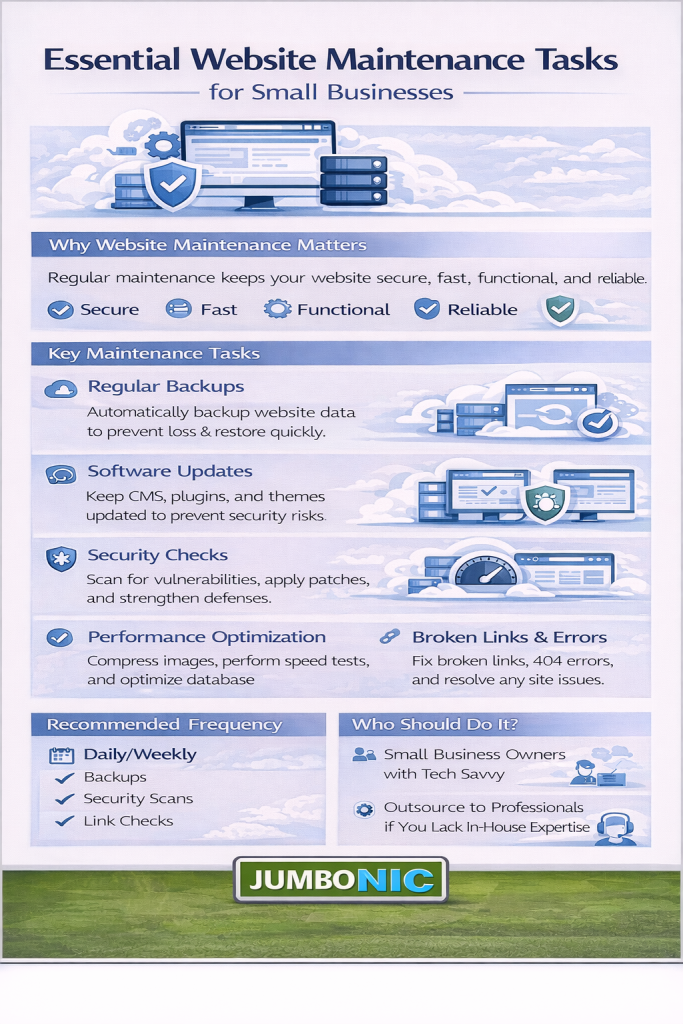
1. Regularly Back Up Your Website
A backup is your safety net. In the event of a hack, update failure, or accidental deletion, backups ensure you can restore your site quickly without losing valuable data.
Best practices:
Schedule automatic daily backups
Store copies both on your server and in a secure offsite location
Test your backups periodically to confirm they work
JumboNIC Advantage: Every JumboNIC hosting plan includes AutoBackup Vault, which stores encrypted, versioned backups you can restore in one click — no plugins or manual setup required.
2. Keep Software, Plugins, and Themes Updated
Outdated software is one of the leading causes of website vulnerabilities. Updates often include patches for known security flaws, so neglecting them can leave your site open to attack.
What to update regularly:
Your CMS (e.g., WordPress, Joomla, Drupal)
All plugins and themes
Server-side software like PHP and database systems
JumboNIC Insight: With AutoPatch technology, JumboNIC automatically applies critical updates to your hosting environment — keeping your website protected from emerging threats.
3. Monitor Website Performance and Uptime
A slow or frequently offline website drives customers away. Monitoring helps you detect performance issues early — before they affect your visitors or search rankings.
Key metrics to track:
Page load speed
Server response time
Uptime percentage
Tools you can use:
Google PageSpeed Insights
GTmetrix
JumboNIC’s Performance Dashboard, which provides real-time speed metrics and automatic optimization recommendations.
4. Scan for Security Threats and Malware
Cyberattacks can happen to anyone — and small businesses are often prime targets. Regular scans help detect malware, phishing code, and vulnerabilities before they cause damage.
Recommended actions:
Run weekly malware scans
Monitor login attempts and file changes
Use a Web Application Firewall (WAF)
JumboNIC’s SmartDefense Suite provides 24/7 automated threat detection and blocks malicious activity before it can harm your website.
5. Test Website Forms and Checkout Processes
Broken contact or order forms can cost you leads and sales. Every few weeks, test all interactive elements on your site to make sure they work properly.
Checklist:
Submit test messages from your contact form
Place a test order (if you run an e-commerce store)
Verify that confirmation emails and notifications are sent correctly
JumboNIC Performance Tip: Use integrated uptime and form monitoring tools in your JumboNIC dashboard to receive instant alerts when a form fails.
6. Review and Optimize Content
Fresh, relevant content helps your business stay visible and credible. Outdated information can confuse visitors or hurt your SEO.
Maintenance tasks:
Update service descriptions, pricing, and contact info
Refresh blog posts and internal links
Replace outdated images or broken videos
JumboNIC SEO Tools include keyword tracking and on-page analysis features that make content updates easier and more data-driven.
7. Check for Broken Links and 404 Errors
Broken links frustrate users and send negative signals to search engines. Regularly checking and fixing them improves both UX and SEO.
How to do it:
Use tools like Broken Link Checker or Screaming Frog
Fix or redirect broken URLs to relevant pages
Audit your sitemap to ensure it’s up to date
JumboNIC Hosting automatically detects 404 errors and suggests quick redirect fixes through the SmartRedirect Manager.
8. Optimize Database and Clean Up Files
Over time, databases and media libraries can accumulate unused data — slowing down your website. Regular cleanups improve performance and free up space.
Tasks to include:
Delete unused images, themes, and plugins
Optimize your database tables
Clear cache files and old revisions
JumboNIC’s AutoClean System handles this automatically, keeping your environment lean and efficient without manual effort.
9. Renew Your Domain and SSL Certificates
Nothing looks worse than a website that’s suddenly unavailable because a domain or SSL certificate expired. Make sure both are set to auto-renew or track expiration dates carefully.
JumboNIC Domain Manager sends automatic reminders and supports one-click renewals, while SmartSSL ensures continuous encryption with automatic renewals and installation.
10. Review Analytics and Make Data-Driven Improvements
Finally, use your analytics data to understand what’s working — and where you can improve.
Track key metrics like:
Traffic sources
Conversion rates
Bounce rates and time on page
Use this data to refine your marketing strategy, user experience, and site layout.
JumboNIC Analytics Integration makes it easy to connect Google Analytics and visualize performance directly from your hosting dashboard.
Final Thoughts
A well-maintained website doesn’t just perform better — it reflects professionalism, reliability, and trust. By dedicating a little time each month to these essential maintenance tasks, small businesses can protect their investment, improve user experience, and boost SEO results.
At JumboNIC, we help small business owners simplify maintenance with automated updates, performance optimization, and built-in security monitoring — so you can focus on running your business, not managing your website.
🧰 Simplify Website Maintenance with JumboNIC
Let JumboNIC handle the technical work while you focus on growth.
Enjoy automated backups, smart updates, real-time monitoring, and AI-driven protection — all in one hosting platform.
Visit www.jumbonic.com to learn how we help small businesses keep their websites secure, fast, and future-ready.
