
Database Optimization: How to Keep Your Site Fast and Lean
A slow database is one of the most common — and most overlooked — reasons websites become sluggish over time. Even if your hosting environment is fast and your code is efficient, an unoptimized database can bottleneck every request, increasing load times, causing timeouts, and reducing overall site reliability.
In this guide, we’ll walk through the key strategies for database optimization and show how JumboNIC helps you maintain a lightning-fast, lean, and scalable database infrastructure.
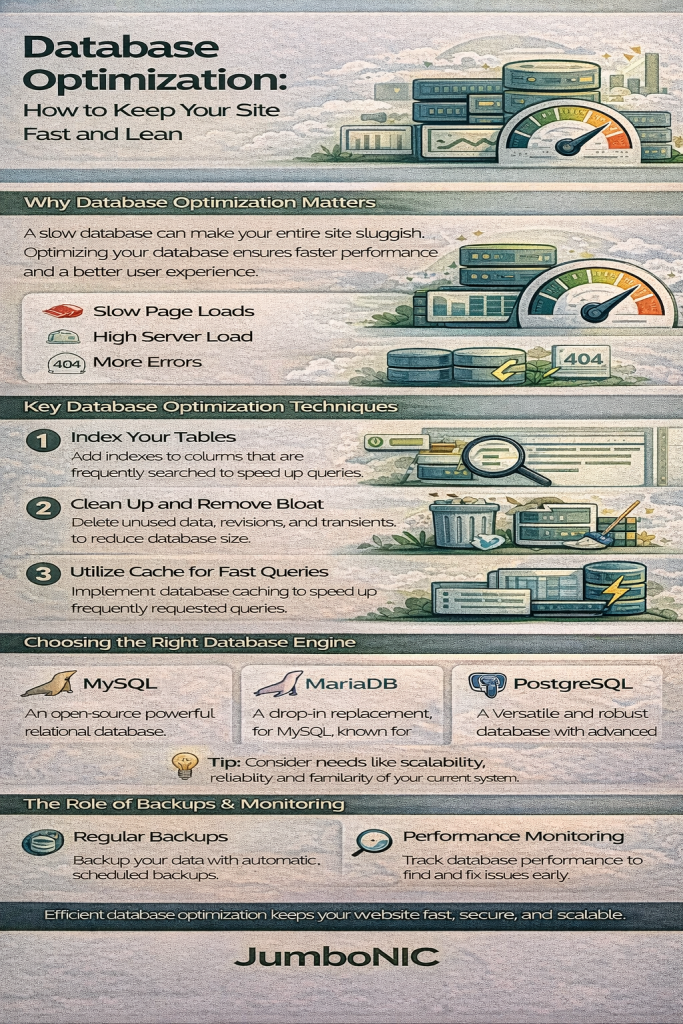
Why Database Optimization Matters
Your database is the heart of your website. Every page load, login request, product search, or blog query touches the database in some way.
A poorly optimized database can lead to:
Slow TTFB (Time to First Byte)
High server load and unnecessary CPU usage
Long query times
Database deadlocks or timeouts
Site instability during high traffic spikes
For growing websites, optimizing the database is crucial to maintaining performance, scalability, and user satisfaction.
Key Database Optimization Techniques
1. Use Proper Indexing
Indexes act like a table of contents for your database, allowing queries to find data quickly instead of scanning entire tables.
Best Practices
Index columns used in
WHERE,ORDER BY, andJOINclausesRemove unused or redundant indexes
Use composite indexes for multi-column filtering
Avoid indexing every column — too many indexes can slow down writes
How JumboNIC Helps
JumboNIC provides database monitoring tools that help identify slow queries and missing indexes, making it easier to optimize queries and tables with confidence.
2. Clean Up and Optimize Your Tables
Over time, databases accumulate clutter — outdated rows, revisions, logs, trashed posts, transient data, and more.
Optimizations include:
Removing unused data and orphaned records
Deleting old sessions and temporary entries
Cleaning up post revisions or log tables
Running table optimization (
OPTIMIZE TABLE)
With JumboNIC
JumboNIC hosting includes automated maintenance options and supports plugins/tools that safely optimize your tables without downtime.
3. Use Caching to Reduce Database Load
Rather than running the same queries repeatedly, caching stores results in memory or on disk.
Caching Layers That Help
Object caching (Redis / Memcached) — stores query results
Page caching — reduces database hits for entire pages
Opcode caching — speeds up PHP execution
Query caching (for selected engines)
JumboNIC Advantage
All JumboNIC hosting plans support Redis object caching, dramatically reducing database load and boosting performance for database-driven CMS platforms like WordPress, Laravel, Magento, and more.
4. Optimize Your Queries
Poorly written SQL queries are one of the biggest contributors to database slowdown.
Tips for Query Optimization
Avoid using
SELECT *— always select only what you needMinimize nested queries and unnecessary JOINs
Paginate large result sets
Use prepared statements and query caching
Track slow queries with performance logs
How JumboNIC Helps
JumboNIC provides query analytics and slow-query logging so you can see which database calls are causing delays — and fix them before they affect user experience.
5. Choose the Right Database Engine
Different engines offer different performance characteristics.
Examples
InnoDB — Best for high-read and write-heavy sites; supports transactions
MyISAM — Fast for read-heavy tables but lacks row-level locking
MariaDB vs. MySQL — MariaDB often offers performance improvements
JumboNIC Recommendation
JumboNIC uses optimized MySQL/MariaDB configurations tuned for real-world performance, ensuring maximum efficiency under load.
6. Implement Routine Backups and Monitoring
Backups and monitoring help prevent data loss and allow you to track performance trends.
Essential Practices
Daily or real-time backups
Automated health checks
Resource usage monitoring
Query performance tracking
What JumboNIC Provides
JumboNIC includes automated backups, real-time resource dashboards, and proactive monitoring alerts to catch issues early — before they slow down your site.
7. Scale Your Database When Needed
Sometimes optimization isn’t enough — you need more power.
Scaling Options
Increase RAM for more in-memory caching
Upgrade to a more powerful CPU
Move to a dedicated database server
Use database clustering or replication for enterprise loads
How JumboNIC Supports Scaling
JumboNIC offers flexible scaling options, allowing you to upgrade CPU, RAM, or storage, or migrate to a high-performance dedicated or cloud environment without downtime.
How JumboNIC Keeps Your Database Fast
JumboNIC provides a performance-first infrastructure designed specifically for speed and scalability:
✔ High-performance NVMe storage
Ultra-fast read/write speeds reduce I/O bottlenecks.
✔ Built-in Redis for object caching
Cuts database load dramatically and accelerates dynamic sites.
✔ Optimized MySQL/MariaDB configurations
Fine-tuned for real workloads, not generic defaults.
✔ Automated health checks & slow-query monitoring
Spot performance issues instantly.
✔ Full-page caching and CDN integration
Reduces database hits and delivers content faster worldwide.
✔ Scalable hosting environments
Grow from shared hosting to dedicated or cloud without migration headaches.
Conclusion
Database optimization is essential for maintaining a fast, efficient, and scalable website. From indexing to caching, query refinement to regular maintenance, every improvement contributes to faster load times and a better user experience.
With JumboNIC, you get a hosting platform engineered to keep your database — and your entire website — running fast, lean, and reliable. Whether you’re running a blog, an e-commerce store, or a high-traffic application, JumboNIC gives you the optimization tools and server power you need to stay ahead.
