
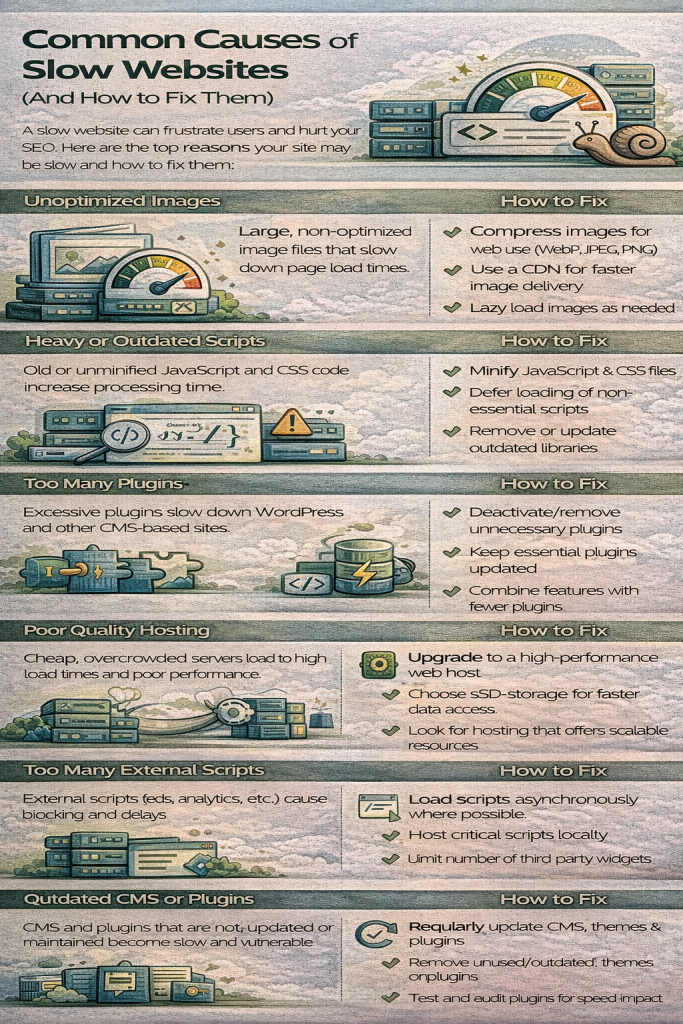
Common Causes of Slow Websites (and How to Fix Them)
A slow website frustrates users, reduces conversions, and harms SEO rankings. Studies show that even a 1-second delay can significantly decrease user satisfaction and increase bounce rates.
Whether you’re running a business website, e-commerce store, or blog, identifying the root causes of slowness is essential. In this guide, we’ll break down the most common causes of slow websites—and show how JumboNIC helps you fix them effectively.
1. Poor or Overloaded Web Hosting
One of the biggest contributors to slow websites is low-quality or oversold hosting. When a server is overloaded, your site competes for limited CPU, RAM, and disk resources.
Symptoms
Slow Time to First Byte (TTFB)
Frequent downtime
Lag during traffic spikes
How to Fix It
Upgrade to a high-performance hosting plan
Choose providers with optimized server stacks and NVMe storage
How JumboNIC Helps
JumboNIC delivers high-performance NVMe hosting, optimized server configurations, and scalable plans—ensuring consistent speed even during traffic surges.
2. Unoptimized Images
Large, uncompressed images slow down page load times more than almost any other element.
Symptoms
Slow LCP (Largest Contentful Paint)
Long initial page loads
Heavy mobile performance issues
How to Fix It
Compress images using WebP or AVIF
Resize images to appropriate dimensions
Enable lazy loading
JumboNIC Advantage
JumboNIC’s built-in CDN automatically compresses and optimizes images for faster global delivery.
3. Excessive or Poorly Optimized JavaScript
Heavy JavaScript files affect interactivity and delay essential rendering processes.
Symptoms
Slow INP (Interaction to Next Paint)
Laggy buttons or menus
Rendering delays
How to Fix It
Minify and defer non-essential JS
Remove unused libraries
Use lightweight frameworks
How JumboNIC Helps
JumboNIC’s performance tools and caching layers reduce JS-processing delays by offloading work to edge servers and optimizing delivery.
4. Too Many HTTP Requests
Each request (image, script, stylesheet, font) adds load time. Poorly structured sites often trigger dozens—sometimes hundreds—of requests.
Symptoms
Slow load times on every page
Unoptimized themes or plugins
How to Fix It
Combine CSS and JS where possible
Use a CDN to distribute assets
Remove unnecessary files and scripts
JumboNIC Advantage
JumboNIC’s CDN reduces request bottlenecks by serving assets from nearby high-speed edge locations.
5. Inefficient or Unoptimized Databases
As sites grow, databases fill with unused rows, logs, revisions, and transient data.
Symptoms
Slow queries
Delayed page loads for dynamic content
Timeouts on busy sites
How to Fix It
Clean and optimize database tables
Use indexing
Enable object caching
How JumboNIC Helps
JumboNIC includes Redis object caching, optimized database environments, and performance monitoring tools to identify and resolve database slowdowns.
6. Too Many Plugins or Poor-Quality Extensions (CMS Sites)
Platforms like WordPress often become slow due to bloated, outdated, or redundant plugins.
Symptoms
Sluggish dashboards
High server resource usage
Script conflicts
How to Fix It
Remove unnecessary plugins
Replace heavy plugins with lightweight alternatives
Keep everything updated
JumboNIC Advantage
JumboNIC detects high-resource plugins and provides recommendations to keep your CMS lean and efficient.
7. No Caching or Poor Caching Configuration
Without caching, the server must generate each page from scratch—even for simple requests.
Symptoms
High CPU usage
Slow TTFB
Poor performance during traffic spikes
How to Fix It
Enable page caching
Use object caching (Redis)
Cache static assets via CDN
With JumboNIC
JumboNIC provides a complete caching stack:
Full-page caching
Redis object caching
OPcache for PHP
CDN caching for global delivery
8. Lack of a CDN (Content Delivery Network)
Serving all users from a single server slows down global performance.
Symptoms
Slow load times outside your main region
High latency for mobile users
How to Fix It
Use a CDN to deliver static assets worldwide
JumboNIC’s Solution
JumboNIC includes a global Anycast CDN that distributes your site’s assets across multiple continents—improving speed and SEO.
9. Render-Blocking Resources
CSS or JavaScript that loads before page content can delay rendering.
Symptoms
Blank screens during loading
Delayed content appearance
How to Fix It
Inline critical CSS
Defer non-essential JS
Use preloading for important assets
JumboNIC Advantage
JumboNIC’s optimized server configuration reduces blocking and accelerates content rendering.
10. Not Using Modern Compression or Protocols
Outdated protocols like HTTP/1.1 and lack of compression increase transfer times.
How to Fix It
Enable Brotli or Gzip compression
Enable HTTP/2 or HTTP/3
Use TLS optimized for speed
How JumboNIC Helps
JumboNIC automatically enables:
Brotli compression
HTTP/3 support
Optimized TLS
Next-gen performance headers
Final Thoughts
Slow websites have multiple causes—but fortunately, most are easy to fix with the right tools and architecture. By optimizing hosting, images, scripts, databases, caching, and global delivery, you can achieve dramatic improvements in speed, user experience, and SEO.
With JumboNIC, you get a performance-focused hosting platform designed to eliminate bottlenecks and keep your site fast, stable, and ready to scale.
