
⚡ Best WordPress Optimization Tips for Faster Loading
A slow WordPress site can cause:
Visitors leaving quickly 🏃♂️
Poor user experience 😔
Lower Google search rankings 📉
But the good news is — you can speed up WordPress easily, even if you’re not technical.
This guide covers the most effective tips to make your site load faster — especially when paired with fast and reliable hosting like JumboNIC.
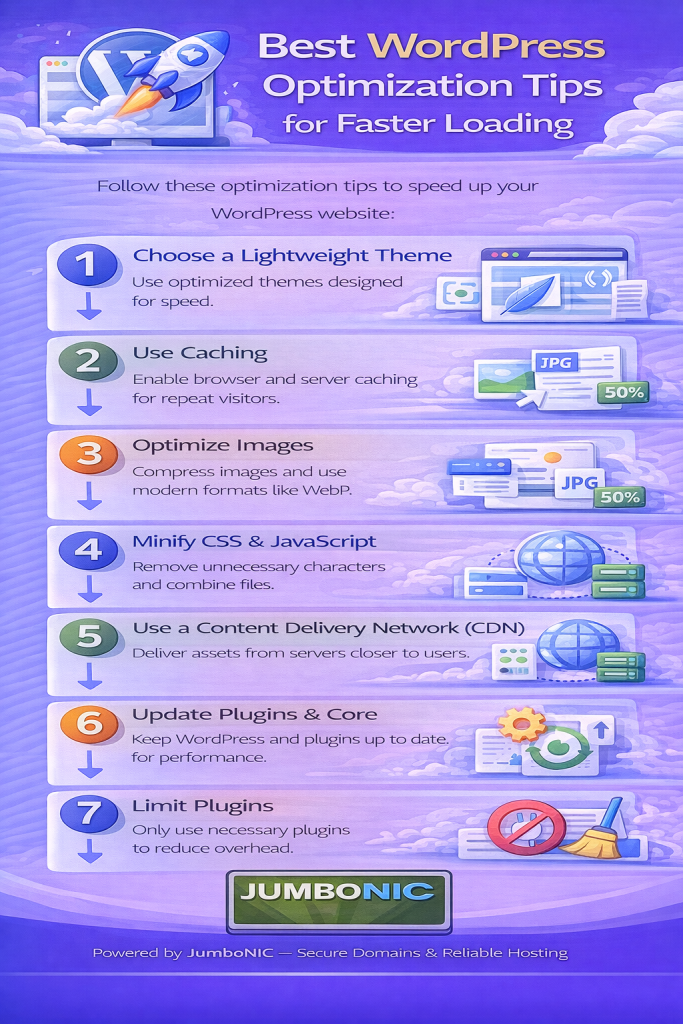
🚀 Why Speed Matters for WordPress
When your website loads fast:
Visitors browse more pages
Conversions increase
Google ranks your site higher
Slow websites don’t just frustrate users — they also hurt business.
✅ Tip #1: Use a Lightweight, Fast Theme
Avoid heavy themes full of animations or bloated page builders.
Fast, recommended themes:
Astra
GeneratePress
Kadence
Neve
These are designed for speed and performance, not just design.
✅ Tip #2: Optimize Your Images
Images are often the biggest cause of slow loading times.
What to do:
Resize before uploading (don’t upload 3000px wide images!)
Convert to WebP format
Compress images online:
| Tool | Website |
|---|---|
| TinyPNG | https://tinypng.com |
| CompressJPEG | https://compressjpeg.com |
WordPress Plugins:
Smush
ShortPixel
Imagify
✔ This can instantly reduce load time by 30–70%.
✅ Tip #3: Enable Caching
Caching makes your site load much faster by storing a ready-to-load version of your pages.
Easy Plugins:
WP Fastest Cache (great for beginners)
WP Super Cache
W3 Total Cache
Toggle options:
Page Cache ✅
Browser Cache ✅
GZIP Compression ✅
No coding needed.
✅ Tip #4: Clean Up Your Plugins
Too many plugins = slow performance.
Do this today:
Go to Plugins
Delete anything you do not use
Avoid overlapping plugin features (ex: 5 security plugins = not needed)
Less plugins → Faster website → Fewer compatibility issues.
✅ Tip #5: Use a CDN (Content Delivery Network)
A CDN speeds up your website for visitors from different regions.
Best free option:
Cloudflare (and it also adds security)
Steps:
Create account → cloudflare.com
Add your domain
Follow nameserver instructions
(If your domain is with JumboNIC, updating DNS is very easy.)
✅ This increases speed worldwide.
✅ Tip #6: Optimize Your Database
Over time, WordPress collects unnecessary data (revisions, drafts, spam comments).
Plugin Recommendation:
WP-Optimize
Click:
Clean → Optimize Database
Just like cleaning your phone storage — your site will run smoother.
✅ Tip #7: Most Important — Choose Fast Hosting
Even if you optimize everything, your site will still be slow if your hosting is slow.
This is where JumboNIC makes a big difference:
| JumboNIC Hosting Benefit | Why It Matters |
|---|---|
| Fast server response speeds | Your pages start loading instantly |
| High uptime reliability | Your site stays accessible |
| Optimized WordPress environment | Fewer errors, faster processing |
| Business-grade caching & performance tuning | Speed boost without plugins |
| Helpful support team | Assistance when needed |
Hosting is the foundation of website speed.
A better host = a faster website, instantly.
🏁 Summary Cheat Sheet
| Action | Speed Impact |
|---|---|
| Use a lightweight theme | High |
| Compress and resize images | Very High |
| Enable caching | High |
| Remove unused plugins | Medium |
| Use a CDN | Medium–High |
| Optimize the database | Medium |
| Use fast hosting like JumboNIC | Highest Impact ⚡ |
🎉 Final Takeaway
Speed is not just a technical detail — it’s a competitive advantage.
You don’t need coding to improve performance — just smart tools and good hosting.
With JumboNIC, your WordPress site can be:
Faster
More stable
Better ranked on Google
More enjoyable for your visitors
