
Best Practices for Securing WordPress Admin Access
WordPress powers over 40% of websites globally, making it a prime target for cyberattacks. The admin area (/wp-admin) is the gateway to your website, and if compromised, attackers can deface your site, steal data, or inject malware.
Securing WordPress admin access is critical to protecting your site and your visitors. In this guide, we’ll cover best practices, and explain how JumboNIC hosting makes implementing these strategies easier and more effective.
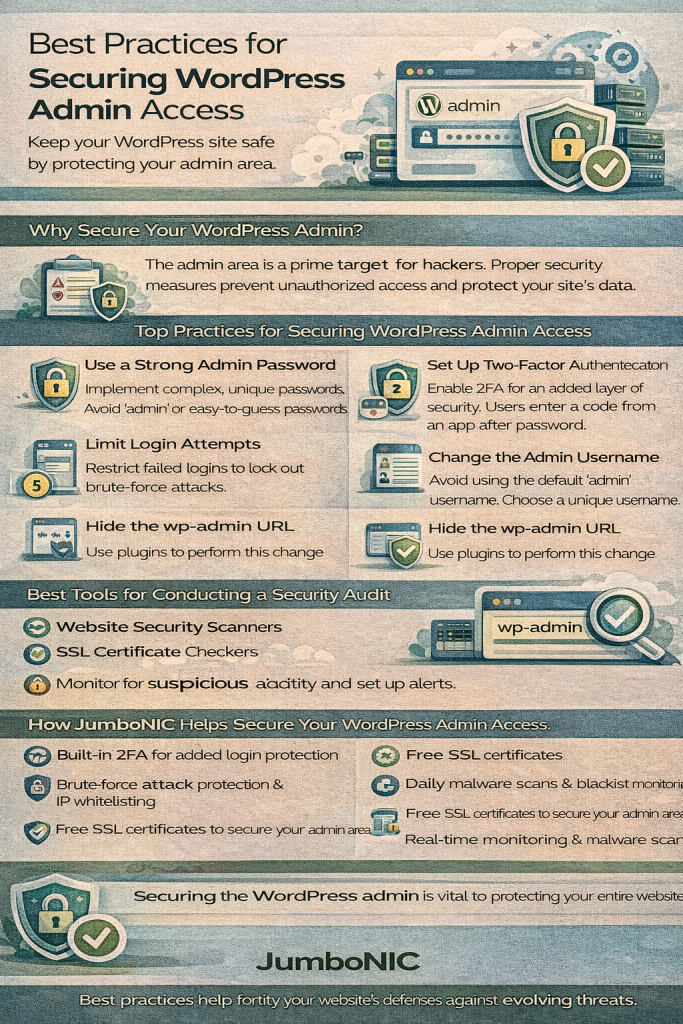
1. Use Strong, Unique Admin Credentials
Avoid default usernames like
adminUse complex passwords with letters, numbers, and symbols
Change passwords regularly
Tip: Use a password manager to generate and store secure passwords.
JumboNIC Advantage: JumboNIC supports secure password policies and two-factor authentication (2FA) for added protection.
2. Enable Two-Factor Authentication (2FA)
2FA adds a second layer of security by requiring a code from a mobile app or hardware token in addition to your password.
Benefits:
Prevents unauthorized access even if passwords are compromised
Protects high-privilege accounts, including admins
JumboNIC Advantage: JumboNIC integrates seamlessly with popular 2FA apps like Google Authenticator and Authy.
3. Limit Login Attempts
Brute-force attacks attempt to guess your password repeatedly. Limiting login attempts stops automated attacks before they succeed.
Best Practices:
Restrict login attempts per IP address
Temporarily block repeated failed attempts
Notify administrators of suspicious activity
JumboNIC Advantage: JumboNIC’s hosting includes built-in login protection to block repeated login failures and protect your site in real-time.
4. Use a Web Application Firewall (WAF)
A WAF filters malicious traffic before it reaches your WordPress site, blocking threats like SQL injections, cross-site scripting, and brute-force attacks.
JumboNIC Advantage: JumboNIC’s WAF protects your admin area and entire site, detecting and mitigating threats automatically.
5. Rename or Move the Login URL
Default WordPress login URLs (/wp-login.php or /wp-admin) are well-known to attackers. Renaming or moving the login page makes it harder for attackers to locate the admin area.
Best Practices:
Use plugins like WPS Hide Login
Avoid using predictable URLs
6. Implement IP Whitelisting (Optional for Extra Security)
If you access your WordPress admin from fixed locations, limit access to specific IP addresses. This prevents unauthorized logins from unknown sources.
JumboNIC Advantage: JumboNIC allows server-level IP restrictions and firewall rules to enforce admin access control.
7. Keep WordPress Core, Themes, and Plugins Updated
Outdated software is one of the most common ways attackers gain access. Always:
Update WordPress core immediately after release
Update plugins and themes regularly
Remove unused or abandoned plugins/themes
JumboNIC Advantage: JumboNIC provides automated updates and server-level patching, reducing vulnerabilities without manual effort.
8. Monitor Admin Activity
Track changes made by administrators and users with high privileges. Monitoring helps detect suspicious activity early.
Best Practices:
Use plugins to log admin activity
Set alerts for failed login attempts or unusual actions
Review logs regularly
JumboNIC Advantage: JumboNIC’s hosting includes real-time monitoring and notifications, so you can respond quickly to potential threats.
9. Use HTTPS/SSL
All admin traffic should be encrypted to prevent interception of credentials.
Best Practices:
Enable SSL certificates for your site
Force HTTPS for admin pages
JumboNIC Advantage: JumboNIC provides free SSL certificates and automatically enforces HTTPS across your WordPress site.
10. Backup Regularly
Even with strong security, attacks can happen. Regular backups allow you to restore your site quickly.
JumboNIC Advantage: JumboNIC offers automated daily backups, ensuring your admin area and site content are protected and easily recoverable.
Conclusion
Securing WordPress admin access is critical to protecting your site, data, and visitors. By implementing strong passwords, 2FA, login limits, a WAF, HTTPS, and regular monitoring, you dramatically reduce the risk of compromise.
When combined with JumboNIC’s secure and high-performance hosting, these best practices become even more effective. JumboNIC provides built-in 2FA support, automated backups, real-time monitoring, WAF protection, and global CDN delivery—helping you maintain a safe, fast, and reliable WordPress website.
