
How to Detect and Remove Malware from Your Website
Malware is one of the most common threats to websites of all sizes. It can slow down your site, steal sensitive data, harm SEO rankings, and even compromise your visitors. Knowing how to detect, remove, and prevent malware is essential for maintaining a secure online presence.
In this guide, we’ll explore effective strategies for keeping your website clean, and how JumboNIC’s hosting and security solutions simplify the process.
What Is Website Malware?
Website malware is malicious code inserted into a website to exploit vulnerabilities. Common types include:
Backdoors – Allow attackers to access your server remotely.
Ransomware – Locks your site or data until a ransom is paid.
Trojan scripts – Hide in files and steal sensitive information.
SEO spam – Injects hidden links or spam content to manipulate search rankings.
Defacement – Alters your website’s appearance to spread malicious messages.
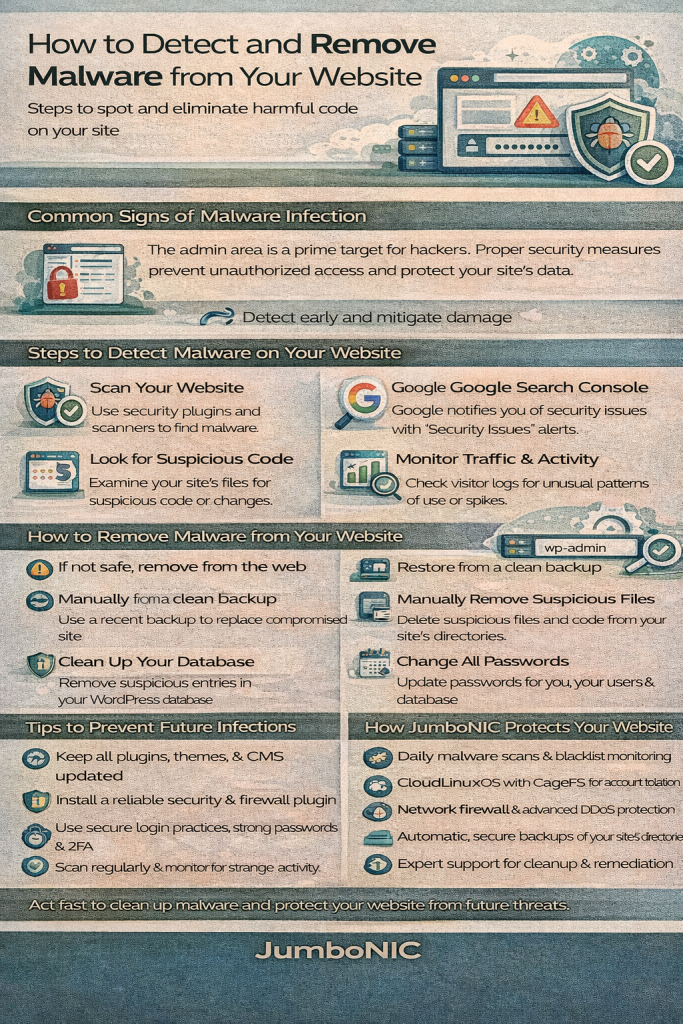
How to Detect Malware on Your Website
1. Monitor Unusual Behavior
Signs of malware include:
Slow-loading pages
Unexpected redirects to unknown sites
Pop-ups or ads not added by you
Changes in website files or database entries
User complaints about spam emails from your domain
2. Use Automated Scanners
Website malware scanners can quickly detect suspicious code. Popular options include:
Sucuri SiteCheck – Online scanner for malware, blacklisting, and security issues.
VirusTotal – Checks URLs and files for malware signatures.
Wordfence (WordPress) – Scans themes, plugins, and core files for malicious code.
JumboNIC Advantage: JumboNIC’s hosting includes automated malware detection, scanning files and traffic for suspicious activity in real time.
3. Check Server Logs
Analyze server and access logs for unusual activity:
Repeated login attempts
Requests from suspicious IP addresses
Unexplained file changes
4. Verify Your Site with Google Search Console
If Google detects malware, it may issue warnings to visitors and drop your SEO rankings. Regularly checking Google Search Console helps you catch issues early.
How to Remove Malware from Your Website
1. Backup Your Website
Before removing malware, make a full backup of your site and database. This ensures you can restore it if needed.
2. Take Your Site Offline (Optional)
For severe infections, temporarily disable public access to prevent malware from spreading to visitors.
3. Identify and Remove Malicious Files
Delete unknown or suspicious files.
Replace infected core files with clean versions from official sources.
Check themes, plugins, and uploads for hidden scripts.
JumboNIC Advantage: JumboNIC’s server-level malware protection and backup system allow you to safely restore clean versions quickly.
4. Clean the Database
Look for unusual entries in WordPress posts, options, or user tables.
Remove injected spam content or malicious code snippets.
5. Update and Patch Software
Update CMS, plugins, and themes to their latest versions.
Close vulnerabilities that allowed malware to enter.
6. Change Passwords
Reset passwords for all:
Admin accounts
FTP/SFTP users
Database users
Hosting control panel
Use strong, unique passwords and enable two-factor authentication (2FA).
7. Enable Security Measures
After cleaning your site, prevent reinfection:
Install a Web Application Firewall (WAF)
Enable real-time malware monitoring
Use a CDN for protection against attacks
Monitor login attempts and file changes
JumboNIC Advantage: JumboNIC provides WAF, DDoS protection, CDN delivery, automated malware monitoring, and real-time alerts to keep your site secure.
Tips for Preventing Future Malware Infections
Regularly update all software components
Use strong authentication and 2FA
Limit user permissions to only those required
Backup your site regularly
Scan files and traffic with automated security tools
Avoid pirated plugins, themes, or scripts
By combining these measures with JumboNIC’s robust security and hosting features, you can maintain a safe and high-performing website.
Conclusion
Detecting and removing malware promptly is crucial to protecting your website, visitors, and business reputation. Signs like slow performance, suspicious redirects, or spam content indicate potential infections, and using automated tools alongside manual checks ensures a thorough cleanup.
With JumboNIC, you get a secure hosting platform with real-time malware monitoring, automated backups, DDoS protection, and CDN delivery—making it easier to detect, remove, and prevent malware while keeping your website fast and reliable.
