
How to Optimize Images for SEO and Performance: A Complete Guide by JumboNIC
In today’s fast-paced digital world, images play a vital role in capturing attention and improving user engagement. However, high-resolution, unoptimized images can slow down your website — hurting both performance and search engine rankings. At JumboNIC, we believe that a beautiful website should also be fast and discoverable.
In this guide, we’ll break down how to optimize images for SEO and performance without compromising quality.
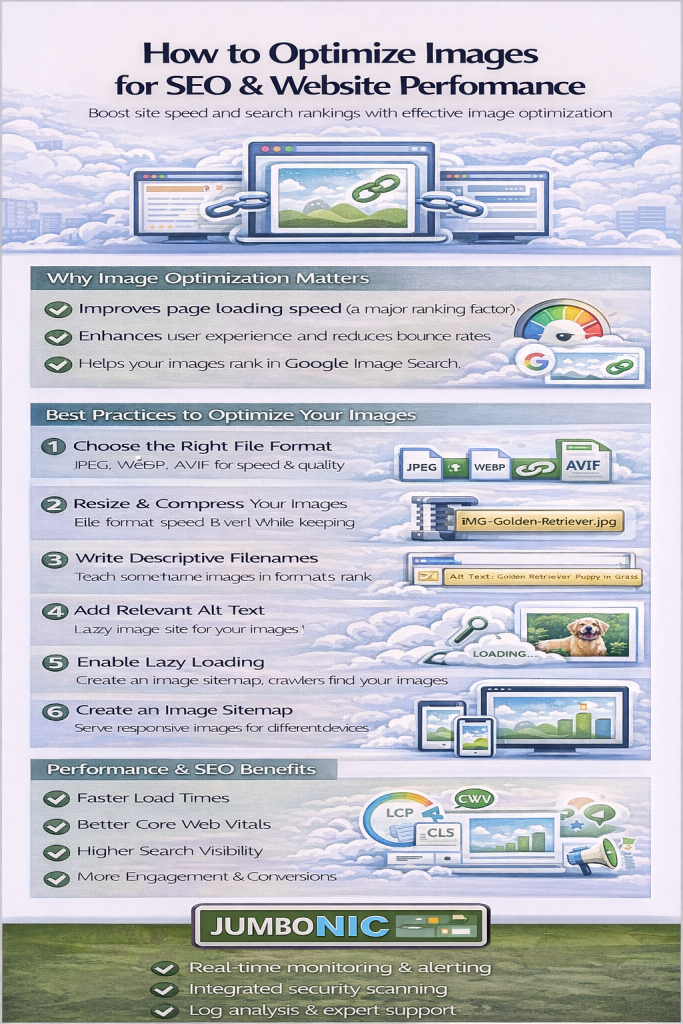
1. Choose the Right Image Format
Selecting the correct file type is the first step toward optimization:
JPEG (JPG) – Great for photos with lots of colors and gradients.
PNG – Best for images requiring transparency or crisp edges.
WebP – Offers high compression with excellent quality; supported by most modern browsers.
SVG – Perfect for icons, logos, and vector graphics; scalable without losing quality.
JumboNIC Tip: Use WebP for most web images. It can reduce file size by up to 35% compared to JPEG without noticeable quality loss.
2. Compress Images Without Losing Quality
Image compression minimizes file size for faster page loading. Use either lossless (retains all data) or lossy (reduces data slightly) methods depending on your needs.
Recommended tools:
TinyPNG / TinyJPG
Squoosh (by Google)
ImageOptim
JumboNIC’s integrated CDN compression tools
JumboNIC Insight: Our hosting platform automatically compresses and caches images, improving load times across devices and regions.
3. Resize Images for the Web
Uploading a 4000-pixel-wide photo when your layout only needs 800 pixels wastes bandwidth. Always resize images to the exact dimensions required by your design.
Pro Tip: Create responsive versions (srcset) so browsers can serve the right image size for each device — from mobile to 4K screens.
4. Name and Tag Images for SEO
Search engines can’t “see” images, but they can read filenames and metadata.
Optimize each image with:
Descriptive filenames:
jumbonic-image-optimization-guide.jpginstead ofIMG_1234.jpgAlt text: Describe the image’s content and purpose naturally.
Structured data: Use schema markup for product or recipe images.
JumboNIC SEO Suggestion: Keep alt text short, relevant, and keyword-focused — but never keyword-stuffed.
5. Use a Content Delivery Network (CDN)
A CDN delivers images from servers closest to your visitors, reducing latency and speeding up load times.
JumboNIC Advantage: Our SmartCDN caches and serves images automatically, ensuring global users experience fast, optimized visuals no matter where they are.
6. Implement Lazy Loading
Lazy loading delays image loading until they enter the user’s viewport, saving bandwidth and improving initial page speed.
Add the loading="lazy" attribute in your <img> tags or enable lazy loading through your CMS or hosting provider.
7. Test and Monitor Performance
Finally, measure the impact of your optimizations. Tools like:
Google PageSpeed Insights
GTmetrix
Lighthouse
can reveal opportunities for further improvement.
JumboNIC Performance Center provides real-time analytics to help you monitor and fine-tune your site’s image performance.
Final Thoughts
Optimizing images is one of the simplest yet most effective ways to improve your website’s performance, user experience, and SEO rankings.
With JumboNIC’s built-in optimization features, developers and marketers can focus on creativity while our platform ensures fast, search-friendly delivery.
Fast sites rank better. Optimized images make it happen.
