
🔄 How to Repurpose Existing Content for More Traffic
Featuring JumboNIC
Publishing new content is important, but repurposing existing content is a smart way to boost traffic, improve SEO, and reach new audiences without starting from scratch.
This guide shows how to repurpose content effectively, while ensuring your website performs optimally with JumboNIC hosting.
🧠 Why Repurposing Content Matters
Maximize ROI → Get more traffic from content you’ve already created
Reach different audiences → Convert blog posts into videos, infographics, or social posts
Improve SEO → Target additional keywords and internal linking opportunities
Strengthen authority → Reinforce your expertise on important topics
Repurposing is like turning one piece of content into many opportunities.
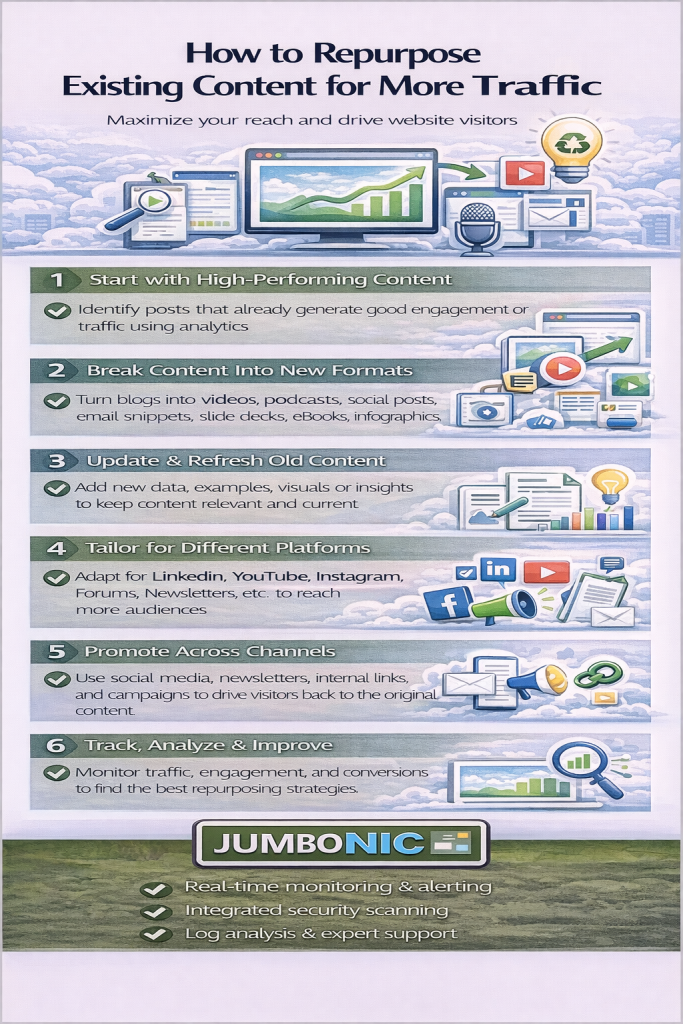
🟦 Step 1: Identify High-Performing Content
Start by analyzing your existing content:
Use Google Analytics → Find pages with high traffic or long engagement
Use Search Console → Identify posts ranking for multiple keywords
Look for evergreen content → Topics that remain relevant over time
JumboNIC hosting ensures all your pages load quickly, giving your content the best chance to perform well in search.
🟩 Step 2: Choose a Repurposing Format
Decide how to transform your content:
| Original Content | Repurposed Formats |
|---|---|
| Blog post | Infographic, video, podcast, social snippets, email series |
| Video | Blog post, transcription, social clips |
| Webinar | Blog post, short video highlights, downloadable guide |
| Podcast | Blog post, social quotes, email newsletter content |
🟦 Step 3: Optimize for SEO and Engagement
Repurposed content should be SEO-friendly:
Include keywords naturally
Add internal links to related pages
Update statistics, images, and examples
Ensure mobile-friendly layouts
Hosting with JumboNIC ensures your repurposed content loads fast, keeps visitors engaged, and improves Core Web Vitals, which boosts SEO.
🟩 Step 4: Promote Repurposed Content Across Channels
Share on social media platforms
Send in email newsletters
Embed videos in blog posts
Convert infographics into Pinterest pins
Repurposing helps you reach new audiences across multiple platforms without creating entirely new content.
🟦 Step 5: Track Performance and Iterate
Use analytics tools to monitor:
Pageviews and time on page
Keyword rankings for repurposed content
Engagement on social media (likes, shares, comments)
Conversion rates
Adjust your strategy based on what formats drive the most traffic and engagement.
🏆 Why JumboNIC Hosting Helps Repurposed Content Succeed
| JumboNIC Feature | Benefit for Repurposed Content |
|---|---|
| Fast servers | Ensures videos, images, and pages load quickly |
| High uptime | Content always accessible to users and search engines |
| WordPress-optimized hosting | Supports plugins for video, social, and SEO optimization |
| Secure SSL environment | Builds trust and improves search rankings |
🎯 Quick Repurposing Checklist
✅ Identify high-performing content
✅ Choose new formats for repurposing
✅ Update content for SEO and relevance
✅ Promote across multiple channels
✅ Track performance and refine strategy
✅ Host on JumboNIC for speed, reliability, and security
🎉 Final Takeaway
Repurposing existing content is a cost-effective way to grow traffic and improve SEO.
With JumboNIC hosting, your website loads fast, handles rich media, and stays secure — giving every piece of repurposed content the best chance to succeed.
Smart content strategy + reliable hosting = more traffic, better engagement, and stronger online authority.
