
Domain Registrar Tips: How to Protect Your Domain from Hijacking
Your domain name is your online identity. It’s how customers find you, how people remember your brand, and in many cases, it’s one of your most valuable business assets.
But there’s a growing threat to be aware of: domain hijacking.
Domain hijacking happens when someone gains unauthorized control over your domain and transfers it away — and once it’s gone, recovering it can be very difficult and time-consuming.
The good news is that with the right protection steps, you can prevent it.
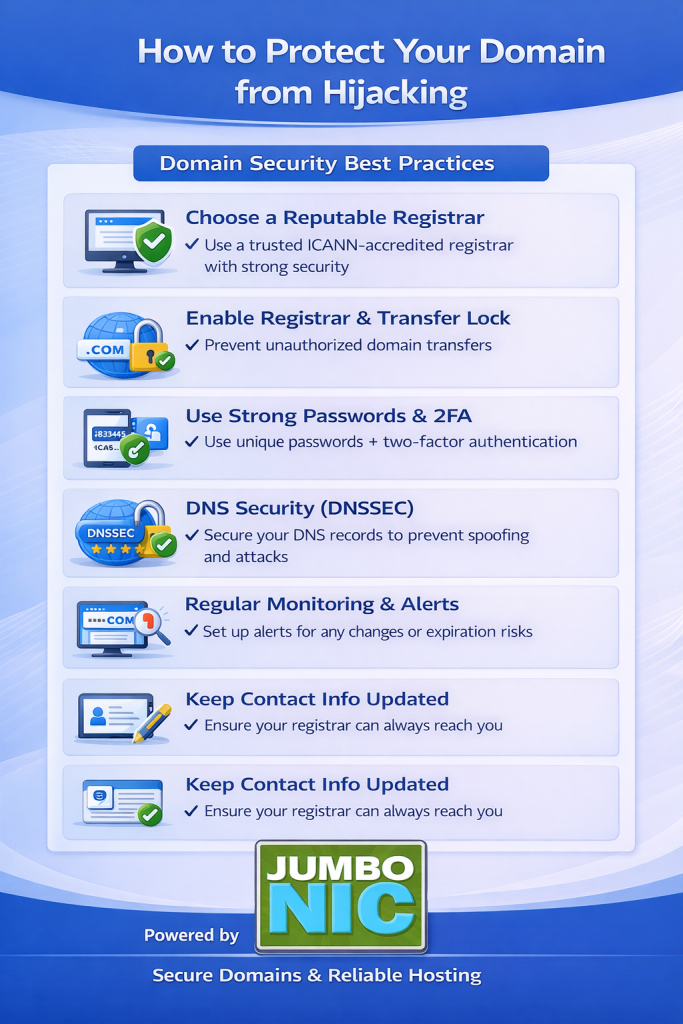
What Causes Domain Hijacking?
Hijackers usually gain access through:
Weak or reused email passwords
Not enabling 2FA (two-factor authentication)
Letting the domain expire
Buying domains from untrusted registrars
Phishing or fake login websites
In other words, security usually fails at the user/account level, not the domain itself.
Here’s How to Protect Your Domain from Hijacking
1. Register Your Domain with a Trusted Registrar
Choose a registrar that:
Has strong security standards
Provides protection tools
Offers reliable customer support
✅ JumboNIC partners with a globally established registrar network, offering secure domain management and built-in protection tools to help keep your domain safe.
2. Enable Domain Locking
Domain locking prevents unauthorized transfer requests.
With Domain Lock ON, your domain cannot be transferred unless you manually unlock it.
In JumboNIC Control Panel:
Go to Domain Management → Security → Domain Lock → Enable.
3. Use Strong, Unique Passwords
Never use the same password for:
Email
Hosting panel
Domain registrar login
If someone accesses your email, they can reset your domain login and take everything.
Tip: Use a password manager to generate and store strong passwords.
4. Turn On Two-Factor Authentication (2FA)
Even if someone guesses your password, 2FA stops them.
JumboNIC supports:
Authenticator apps (Google Authenticator, Authy)
SMS verification (depending on account settings)
This adds a second layer of protection to your account.
5. Keep Your Contact Information Updated
If your email on file is outdated, you may:
Miss domain renewal notices
Not receive security alerts
Fail to verify account changes
Update it anytime in your JumboNIC Dashboard → Account Settings.
6. Turn On Auto-Renew
Many domains are hijacked when they expire, not because they were hacked.
When a domain expires:
It becomes available for purchase
Anyone can register it
You may permanently lose it
Auto-renew in JumboNIC ensures your domain never accidentally expires.
7. Be Aware of Phishing Emails
Cybercriminals often send fake emails that look like:
Verification requests
Renewal notices
Registrar login alerts
Always double-check:
Sender email address
Domain spelling
URLs before clicking
If unsure, log in directly from https://www.jumbonic.com — not from an email link.
Why Choose JumboNIC for Domain Security?
| Security Feature | What It Does | Benefit |
|---|---|---|
| Domain Lock | Prevents unauthorized transfers | Stops hijacking attempts |
| 2FA Protection | Adds extra login verification | Secures your account |
| Auto-Renew Controls | Keeps your domain active | No accidental loss |
| Trusted Registrar Network | Secure infrastructure | Safe and reliable |
| Support Assistance | Human help when needed | Quick issue resolution |
Your domain deserves strong protection — not just a place to register it.
Final Word
Protecting your domain is not just a technical task. It’s a business responsibility.
Take a few minutes to:
Lock your domain
Enable 2FA
Turn on auto-renew
And you’ll drastically reduce the risk of domain hijacking.
If you’re managing your domain through JumboNIC, these tools are already available and easy to use.
