
📊 How to Add Google Analytics to WordPress Using Site Kit
Featuring JumboNIC
Google Analytics is essential for understanding your website visitors:
How many people visit
Which pages they like
Where your traffic comes from
The easiest way to connect Google Analytics to WordPress is with Site Kit by Google. In this guide, we’ll walk you through step-by-step, even if you’re not technical, and explain how JumboNIC hosting makes the process seamless.
✅ Why Use Google Analytics
| Benefit | How It Helps You |
|---|---|
| Track visitors | Know how many people visit your site daily |
| See traffic sources | Learn whether visitors come from Google, social media, or referrals |
| Measure content performance | Identify which pages and blog posts perform best |
| Improve marketing decisions | Focus on strategies that actually work |
Without analytics, running your website is like flying blind.
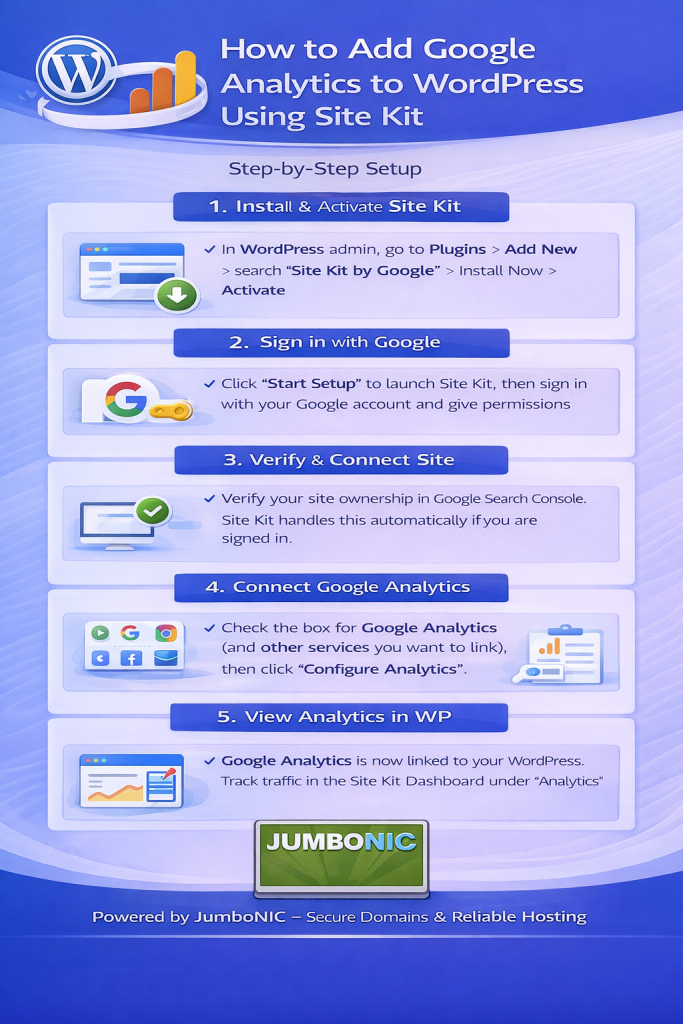
🟦 Step 1: Install the Site Kit Plugin
Log in to your WordPress Dashboard
Go to Plugins → Add New
Search for Site Kit by Google
Click Install Now, then Activate
🟩 Step 2: Set Up Site Kit
After activation, click Start Setup
Sign in with your Google account
Allow Site Kit to access your Google data
Select the website you want to connect
This links your WordPress site to your Google Analytics account automatically.
🟦 Step 3: Connect Google Analytics
In Site Kit dashboard, click Connect More Services → Analytics
Follow the prompts to allow permissions
Choose the correct Google Analytics property (or create a new one if needed)
Click Complete Setup
Your WordPress site is now connected to Google Analytics. ✅
🟩 Step 4: Verify Analytics is Working
Go to Site Kit → Dashboard in WordPress
You should see traffic stats (visits, top pages)
Open Google Analytics to confirm data is being collected
It may take 24–48 hours to see detailed reports.
🏆 Why Using JumboNIC Hosting Makes This Easy
| JumboNIC Hosting Feature | Benefit for Google Analytics |
|---|---|
| Reliable WordPress hosting | Ensures tracking scripts load without errors |
| Fast server performance | Reduces page load, improving analytics accuracy |
| Beginner-friendly control panel | Easy plugin installation and management |
| Expert support | Help if connecting Google Analytics is confusing |
With JumboNIC, your WordPress site is optimized for both speed and data accuracy.
🧩 Bonus: Additional Site Kit Benefits
Search Console integration → See how your site ranks on Google
AdSense setup → Track ad revenue
PageSpeed Insights → Check and improve site performance
All in one plugin — no coding needed.
🎯 Quick Recap
Install Site Kit by Google
Sign in with your Google account
Connect Google Analytics
Verify traffic data is visible
Use JumboNIC hosting for reliable performance and support
🎉 Final Takeaway
Adding Google Analytics to WordPress doesn’t need technical skills.
With Site Kit and JumboNIC hosting, you can track your website’s traffic, measure performance, and make data-driven decisions to grow your online presence.
