
📊 How to Track Keyword Rankings for Free
Featuring JumboNIC
If you’re trying to grow your website through SEO, you need to know which keywords you’re ranking for and whether your rankings are going up or down.
The good news?
There are free tools that let you track your rankings — no paid software required.
Let’s keep this simple and clear.
🎯 What Does “Keyword Ranking” Mean?
A keyword ranking is the position your webpage appears in Google when someone searches for a specific phrase.
Example:
If someone searches “best coffee shop in Manila”
and your website shows up as the #4 result, your ranking is #4.
Tracking rankings helps you see:
Which content is working
What keywords bring traffic
Where to improve
✅ Free Tools to Track Your Keyword Rankings
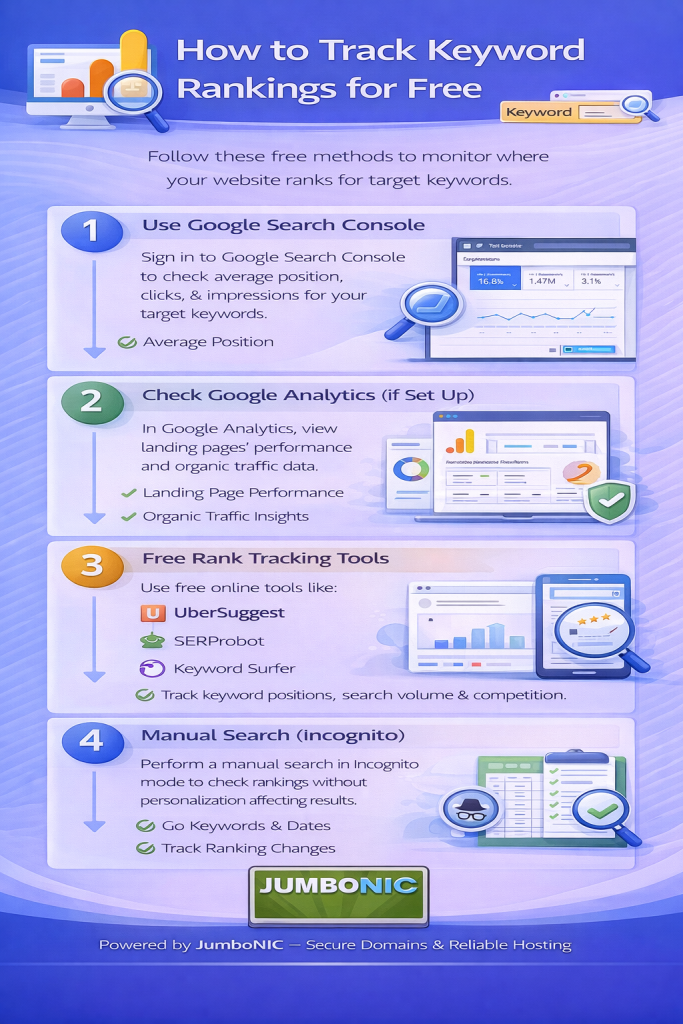
1. Google Search Console (Best Free Option)
https://search.google.com/search-console
This tool shows:
What keywords your site already ranks for
Your average ranking position
How many impressions & clicks each keyword gets
How to view keywords:
Open Google Search Console
Go to Performance
Scroll down to Queries
You will now see:
| Keyword | Clicks | Impressions | Average Position |
|---|
This is your keyword ranking report, straight from Google itself.
2. Ubersuggest (Free Version)
Steps:
Enter your website URL
Go to Traffic Overview
Scroll to SEO Keywords
This shows:
Keyword rankings
Search volume
Top pages
Great for simple ranking checks.
3. Google Search (Manual Check)
Just search your keyword in Google (incognito mode).
Example:
Search:
how to choose a domain name
Then scroll until you find your site.
✅ Good for quick checks
❌ Not accurate for multiple keywords
❌ Rankings vary by location/device
Use this only as a quick double-check.
🧠 Pro Tip: Check Rankings Weekly, Not Daily
Rankings naturally move up and down, especially when your site is new.
Checking daily causes stress.
Checking weekly shows real progress.
Use a notebook or Google Sheet like:
| Date | Keyword | Rank | Notes |
|---|---|---|---|
| Feb 1 | buy leather wallet online | #34 | New article |
| Feb 8 | buy leather wallet online | #22 | Improved title & content |
This helps you see growth clearly.
🚀 How JumboNIC Helps Your Keywords Rank Higher
Even perfect SEO struggles if your hosting is slow, unstable, or unsecure.
| JumboNIC Feature | Why It Improves SEO |
|---|---|
| Fast server response | Google boosts fast websites |
| High uptime | Google can crawl your pages anytime |
| Free SSL support | Prevents “Not Secure” warnings |
| Easy WordPress setup | Lets you publish optimized content faster |
Your hosting foundation matters just as much as your keywords.
Good content + Strong hosting = Real ranking improvement.
🏁 Final Takeaway
Tracking keywords is simple:
Use Google Search Console for ranking reports
Use Ubersuggest for keyword and competitor insights
Check progress weekly, not daily
Make sure your website runs on fast, stable hosting like JumboNIC
If you track rankings consistently, you’ll see:
✅ What’s working
✅ What needs improving
✅ Which content to create next
And that’s how you grow real organic traffic.
