
⚡ How to Speed Up Your Website Without a Developer
Featuring JumboNIC
A slow website can cost you:
Visitors 🧍♂️🧍♀️
Customers 💸
Google rankings 📉
But the good news is — you don’t need a developer to make your website faster.
There are simple speed improvements you can do yourself, even if you’re not technical.
This guide shows easy steps you can take today — and explains how using the right hosting provider, like JumboNIC, makes your website load even faster.
🚀 Why Website Speed Matters
When your site loads slowly, visitors leave. This increases bounce rate, which tells Google:
“People aren’t enjoying this website.”
Result → Lower search ranking and fewer conversions.
But when your site loads fast:
Visitors stay longer
They click more pages
Google rewards your site with better ranking potential
So website speed is both a user experience and SEO factor.
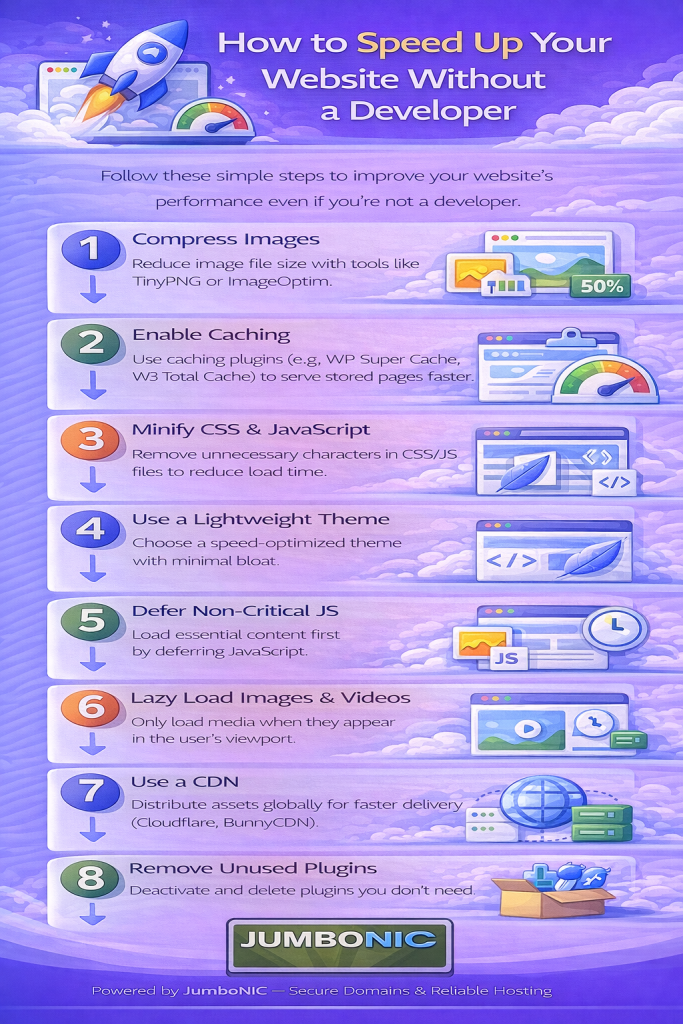
✅ Step 1: Compress & Resize Your Images
Images are the #1 reason websites load slowly.
What to Do:
Resize images before uploading (don’t use 5MB photos!)
Use WebP format (smaller, faster)
Compress images online for free using:
TinyPNG.com
CompressJPEG.com
If using WordPress:
Install one of these plugins:
Smush
ShortPixel
Imagify
✔ Smaller images = Faster website instantly.
✅ Step 2: Use a Caching Plugin (WordPress)
Caching stores a fast-loading version of your webpage.
Plugin recommendations:
WP Super Cache (simple & free)
W3 Total Cache
WP Fastest Cache
Once installed:
Turn caching ON
Enable Browser Cache
Enable GZIP Compression
No coding needed — just toggle switches.
✅ Step 3: Remove Unnecessary Plugins & Themes
Too many plugins = slow website.
Do this:
Go to Plugins
Delete anything you don’t use
Remove old themes under Appearance → Themes
Less clutter = Faster load time.
✅ Step 4: Minimize Heavy Page Elements
Avoid:
Autoplay videos
Large banner sliders
Too many animations
Excessive pop-ups
Simple pages load faster and convert better.
✅ Step 5: Enable a CDN (Content Delivery Network)
A CDN makes your site load faster by serving content from a server near your visitor.
Recommended:
Cloudflare (Free CDN + Free security)
Steps:
Create free account at cloudflare.com
Add your domain
Update nameservers (Cloudflare will guide you)
Done ✅
✅ Step 6: Choose Fast & Reliable Hosting (The Most Important Step)
Even if you optimize everything, your website will still be slow if your hosting is slow.
Fast hosting provides:
Better performance
Faster response time
Faster content loading
Improved SEO ranking potential
That’s why hosting matters more than any plugin.
Why JumboNIC Makes Your Website Faster:
| JumboNIC Feature | Performance Benefit |
|---|---|
| Optimized server environment | Faster site load time |
| Quick processing & response speed | Better user experience |
| High uptime reliability | No downtime interruptions |
| Server location options | Faster local delivery |
| Scalable plans | Smooth performance even during traffic spikes |
With JumboNIC, your website doesn’t just run — it runs fast.
🏁 Quick Summary
| Action | Result |
|---|---|
| Compress images | Instant speed boost |
| Use caching plugin | Faster repeat visits |
| Clean unused plugins | Less server load |
| Enable CDN | Faster loading worldwide |
| Use fast hosting like JumboNIC | Best overall performance |
🎉 Final Takeaway
You do not need to be a web developer to make your website fast.
Small steps make a big difference — especially when paired with fast, reliable hosting like JumboNIC.
Faster website →
Better experience →
Better SEO →
More customers 🚀
